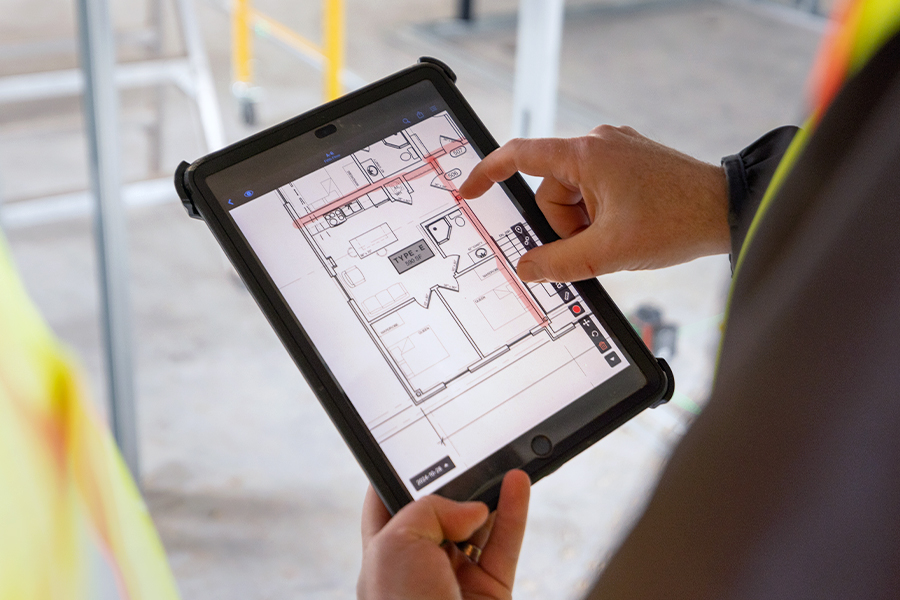
13 Best Construction Management Software in 2026


Without clear insight into what’s happening on-site, making informed decisions becomes nearly impossible. That’s why construction management software can be a game changer for contractors, as it makes real-time collaboration, transparency, and control easier from planning through closeout.
But, with a wide range of tools available, choosing the right solution is not just a technical decision—it directly impacts how teams collaborate, execute work, and manage risk on a daily basis. In this article, we’ll look at the best construction management software in 2026, what to consider when evaluating options, and how different tools support real-world workflows on the jobsite.
Summary
- Construction management software helps centralize communication, documents, and workflows across the jobsite and office
- The right tool improves real-time visibility, reduces rework, and keeps teams aligned throughout the project lifecycle
- Key features to prioritize include document management, task tracking, mobile access, and reporting tools
- Ease of use and adoption in the field are critical for successful implementation
- Pricing, scalability, and integrations with accounting or ERP systems should be considered before choosing a solution
- This list compares 13 widely used construction management software solutions, each suited to different workflows and team needs
What to look for in construction software
Choosing construction management software it’s about finding a tool that fits how projects actually run—across the field and the office, and across different roles on the jobsite. The right app should make coordination easier, without adding complexity to day-to-day operations.
Key features
More features does not mean best when it comes to construction software. An app with well-designed key features can do more for your teams than a platform with a huge list of features that no one uses.
A good construction management software should make it easy to check tasks’ statuses and upload and access documents like blueprints, reports, and forms, whether on mobile or web. These features are useful for all teams, regardless of size:
- Document management (plans, drawings, version control)
- Task management (assignment, tracking, status updates)
- Messaging and notifications (team communication tied to work)
- Mobile access (use on-site, from any device)
- Reporting tools (progress tracking, exportable reports)
Ease of use
After relying on paper for so long, the construction industry can be slow to adopt new tech. And, working with tight deadlines, you may not have a lot of time for training. Which means digital tools need to be simple and clearly valuable to gain traction.
Pricing and scalability
Construction management software is a big investment, so you may want to dip your toes first before getting in the water. Look for companies with transparent pricing to avoid extra costs, and make sure the tool you choose can handle more users, data, and integrations over time to accommodate multiple projects.
Integration with ERP/accounting tools
With accounting data synced to project data, project managers can get a complete financial picture faster. There is also less room for error when you don’t need to manually enter financial data in multiple systems.
Reviews and adoption
Reviews are a good indicator of the quality of construction software, but you should also look into adoption. If a digital tool has been used by other companies on a large number of projects, the likelihood of it being efficient is greater.
Free trial access
Before committing to a platform, you need to know if it works. A free trial allows you and your teams to understand if that app is the right fit for your needs and test the usability of the features.
13 Best construction management software
The following list brings together widely used solutions across the industry, each supporting core workflows like coordination, document management, and field execution. While their strengths vary, all of them aim to improve visibility and collaboration on active projects.
1. Fieldwire

Fieldwire is a jobsite management platform designed to help construction teams coordinate tasks, track progress, and access up-to-date plans from anywhere.
Fieldwire focuses on connecting field and office teams through a simple, practical interface built for daily use on site. It centralizes drawings, tasks, and communication in one place, making it easier for general contractors, subcontractors, and project managers to stay aligned. Its strength lies in how naturally it fits into existing workflows, helping teams reduce miscommunication and keep work moving without adding unnecessary complexity.
Key features:
- Plan viewing and version control
- Task tracking and management
- Inspections and punch lists
- Custom forms and reports
- Real-time messaging on plans and tasks
Pricing: Free (limited) – Paid plans from $44/user/month
Best for: Task management and jobsite coordination across field teams
| Pros | Cons |
|---|---|
| Easy to use in the field | Limited advanced scheduling features |
| Strong task tracking and accountability | Less suited for preconstruction workflows |
| Reliable offline access | |
| Quick onboarding for teams |
2. Procore
Procore is a construction management platform designed to centralize project coordination, financials, and documentation across all phases of construction.
It provides a broad, end-to-end solution that connects teams from preconstruction through project delivery, with strong capabilities in cost control and document management. Procore is a common choice for larger organizations managing complex projects. That said, its breadth can introduce complexity, particularly for smaller teams or those looking for a more lightweight, field-first solution.
Key features:
- Document management
- RFIs and submittals
- Budgeting and cost tracking
- Scheduling tools
- Reporting and analytics
Pricing: Custom pricing based on company size and project volume; no free plan publicly available
Best for: End-to-end project management for mid-sized to large construction teams
| Pros | Cons |
|---|---|
| Comprehensive feature set | Higher cost compared to other tools |
| Strong financial management capabilities | Steeper learning curve |
| Scalable for large projects | Can be complex to implement |
| Wide range of integrations |
3. Autodesk Construction Cloud
Autodesk Construction Cloud connects design and construction workflows in a unified platform, bridging the gap between office planning and field execution.
It's an ecosystem that integrates tools like BIM and document management into a single environment. It stands out for teams already working with Autodesk products, enabling better coordination between design models and on-site execution. However, its full value often depends on adopting multiple Autodesk tools, which can increase cost and complexity.
Key features:
- Document and model management (BIM)
- Issue tracking and coordination
- RFIs and submittals
- Field data capture
- Advanced analytics
Pricing: Module-based pricing; no free plan, limited trial options
Best for: Teams managing BIM workflows and design-to-build coordination
| Pros | Cons |
|---|---|
| Strong BIM integration | Requires Autodesk ecosystem for full value |
| Good design-to-field coordination | Can be complex to deploy |
| Advanced analytics capabilities | Higher overall cost |
| Centralized data environment |
4. Buildertrend
Buildertrend is a construction management platform tailored for residential builders and remodelers, combining project management with client communication tools.
It focuses on simplifying scheduling, budgeting, and customer interactions, making it particularly useful for home builders and specialty contractors. Its client-facing features help improve transparency, though it may be less suited for large-scale commercial projects with complex coordination needs.
Key features:
- Scheduling and project timelines
- Budgeting and financial tracking
- Client communication portal
- Document and file sharing
- Change order management
Pricing: Subscription-based pricing starting at $99/month.; no free plan, demo available
Best for: Residential construction and client communication
| Pros | Cons |
|---|---|
| Strong client communication tools | Less suited for large commercial projects |
| Easy scheduling and budgeting | Limited advanced field coordination |
| User-friendly interface |
5. PlanGrid (Autodesk Build)
PlanGrid, now part of Autodesk Build, is a field-focused tool designed for managing drawings, markups, and on-site collaboration.
It is widely recognized for its ease of use in the field, allowing teams to quickly access and update plans. Its strength lies in simplicity and adoption by field crews, though its functionality is more limited compared to broader platforms unless combined with other Autodesk tools.
Key features:
- Sheet viewing and version control
- Markups and annotations
- Issue tracking
- Photo documentation
- Offline access
Pricing: Included within Autodesk Build; standalone pricing no longer emphasized
Best for: Field teams managing drawings and on-site coordination
| Pros | Cons |
|---|---|
| Strong drawing management | Limited as a standalone solution |
| User-friendly interface | Now tied to Autodesk ecosystem |
6. Raken
Raken is a field reporting and project tracking tool designed to simplify daily reporting and improve visibility from the jobsite.
It focuses on making it easier for field crews to capture and share updates, with an emphasis on usability and quick adoption. Its strength lies in streamlining reporting workflows, though it is more specialized than full-suite construction management platforms.
Key features:
- Daily reports
- Time tracking
- Photo and video capture
- Production tracking
- Safety and quality checklists
Pricing: Subscription-based, starts at $15/user/month.; free trial available
Best for: Field reporting and daily jobsite tracking
| Pros | Cons |
|---|---|
| Simple daily reporting workflows | Not a full project management suite |
| Strong mobile experience | Limited financial tools |
7. Contractor Foreman
Contractor Foreman is an all-in-one construction management platform offering a wide range of features at a relatively accessible price point.
It includes tools for project management, financial tracking, and compliance, making it a practical option for small to mid-sized contractors. Its breadth is notable, although the interface can feel less streamlined compared to more specialized tools.
Key features:
- Project and task management
- Time tracking
- Estimates and invoicing
- Safety and compliance tools
- Document management
Pricing: Subscription-based; free trial available
Best for: Small to mid-sized contractors looking for an all-in-one solution
| Pros | Cons |
|---|---|
| Wide range of features | Interface can feel dense |
| Competitive pricing | Learning curve for full feature set |
| Includes compliance tools |
8. Trimble Construction One
Trimble Construction One is a connected construction management platform that combines project management, financials, and analytics within the Trimble ecosystem.
It brings together multiple Trimble and Viewpoint solutions into a unified environment, supporting data flow across project stages. Its strength lies in integration with Trimble hardware and software, though it is typically adopted by larger organizations.
Key features:
- Project management tools
- Financial and cost control
- Document management
- Analytics and reporting
- Connected workflows across Trimble products
Pricing: Custom pricing; no free plan publicly available
Best for: Large contractors using Trimble solutions and requiring integrated workflows
| Pros | Cons |
|---|---|
| Strong ecosystem integration | Complex implementation |
| Advanced analytics capabilities | Higher cost |
| Scalable for large organizations |
9. PlanRadar
PlanRadar is a construction and real estate platform focused on documentation, task management, and on-site communication.
It enables teams to track issues, manage tasks, and document progress directly on digital plans. Its interface is designed for ease of use in the field, though it is more focused on execution and documentation than full financial management.
Key features:
- Task and issue tracking
- Plan-based documentation
- Photo and video capture
- Reporting and exports
- Mobile access
Pricing: Tiered subscription plans; free trial available
Best for: On-site documentation and task tracking
| Pros | Cons |
|---|---|
| Easy to use on-site | Limited financial features |
| Strong documentation tools | Fewer integrations than some competitors |
10. Dalux
Dalux is a construction management platform with a strong focus on BIM-based workflows, quality assurance, and field collaboration.
It enables teams to work directly with 2D drawings and 3D models on-site, supporting inspections, issue tracking, and documentation. Its BIM capabilities are a key differentiator, though they may be more than some teams require.
Key features:
- BIM model viewing
- Issue and task management
- Inspections and checklists
- Document management
- Field data capture
Pricing: Free version available (Dalux Field); paid modules for additional features
Best for: Teams working with BIM models and on-site quality control
| Pros | Cons |
|---|---|
| Strong BIM capabilities | May be complex for non-BIM users |
| Free entry-level option | Limited financial tools |
| Focus on quality and inspections |
11. BuildOps
BuildOps is a construction and field service management platform designed for specialty contractors, particularly in mechanical, electrical, and plumbing (MEP) trades.
It combines project management with service dispatch, maintenance tracking, and customer management. Its focus on both construction and service workflows makes it distinct, though it is less oriented toward general contractors.
Key features:
- Service dispatch and scheduling
- Project tracking
- Asset and maintenance management
- Invoicing and payments
- Customer management
Pricing: Custom pricing; demo available
Best for: Specialty contractors managing both projects and service operations
| Pros | Cons |
|---|---|
| Built for MEP contractors | Not tailored for general contractors |
| Combines service and project workflows | Custom pricing limits transparency |
| Supports recurring maintenance work |
12. Aconex (Oracle Construction and Engineering)
Aconex, part of Oracle Construction and Engineering, is a project management platform focused on document control and large-scale project coordination.
It is widely used on complex infrastructure and international projects, with a strong emphasis on document management and audit trails. Its structure supports strict governance, though it may feel heavy for smaller teams.
Key features:
- Document control
- Workflow management
- RFIs and submittals
- Audit trails
- Collaboration tools
Pricing: Custom pricing; no free plan publicly available
Best for: Large, complex projects requiring strict document control
| Pros | Cons |
|---|---|
| Strong document control | Complex for smaller teams |
| Detailed audit trails | Requires training |
| Suitable for large infrastructure projects |
13. Bluebeam
Bluebeam is a document and drawing management solution focused on PDF-based workflows, widely used for plan review, markups, and collaboration.
It is commonly used by architects, engineers, and contractors to review drawings, create markups, and collaborate on documents in real time. Its strength lies in precision and control over document workflows, particularly during design review and coordination phases. However, it is not a full construction management platform, as it does not cover areas like scheduling, task tracking, or financial management.
Key features:
- PDF creation and editing
- Drawing markups and annotations
- Real-time collaboration (Bluebeam Studio)
- Document organization
- Measurement and takeoff tools
Pricing: Subscription-based (Bluebeam Revu); free trial available
Best for: Drawing review, markups, and document collaboration
| Pros | Cons |
|---|---|
| Precise markup and measurement tools | Not a full construction management solution |
| Strong collaboration via Studio | Limited project management features |
13 Best construction management software: quick overview
| Construction management software | Key features | Best for | Pricing |
|---|---|---|---|
| Fieldwire | Plan viewing, task management, inspections, reporting | Jobsite coordination and field execution | Free plan available; paid plans from $44/user/month |
| Procore | Document management, RFIs, submittals, cost tracking | End-to-end project management for large teams | Custom pricing |
| Autodesk Construction Cloud | BIM, document management, issue tracking, analytics | Design-to-build coordination | Module-based pricing |
| Buildertrend | Scheduling, budgeting, client portal, change orders | Residential construction and client communication | From ~$99/month |
| PlanGrid (Autodesk Build) | Drawing management, markups, issue tracking | Field teams working on plans | Included in Autodesk Build |
| Raken | Daily reports, time tracking, photo capture | Field reporting and site visibility | From ~$15/user/month |
| Contractor Foreman | Project management, estimates, invoicing, compliance | Small to mid-sized contractors | Subscription-based (free trial) |
| Trimble Construction One | Project management, financials, analytics | Large contractors using Trimble ecosystem | Custom pricing |
| PlanRadar | Task tracking, documentation, reporting | On-site documentation and issue tracking | Tiered pricing (free trial) |
| Dalux | BIM viewing, inspections, issue tracking | BIM-based workflows and quality control | Free version available + paid plans |
| BuildOps | Dispatch, scheduling, invoicing, asset tracking | Specialty contractors (MEP, service) | Custom pricing |
| Aconex (Oracle) | Document control, workflows, audit trails | Large, complex projects | Custom pricing |
| Bluebeam | PDF editing, markups, collaboration, takeoffs | Drawing review and document workflows | Subscription-based (free trial) |
Simplify your jobsite operations with Fieldwire
Fieldwire helps construction teams stay aligned by bringing tasks, plans, and communication into one place. By connecting the field and office in real time, it becomes easier to track progress, resolve issues quickly, and keep projects moving forward. Here are the main reasons teams around the world choose Fieldwire to manage their construction projects:
Jobsite-to-office coordination: Keep general contractors, subcontractors, and stakeholders aligned with a shared platform for plans, tasks, and updates.
Real-time progress tracking: Monitor work as it happens, communicate issues directly on plans, and access the latest information from any device—even offline.
Quality and closeout workflows: Manage inspections, punch lists, and handover processes in the same environment used during execution.
Clear project visibility: Generate reports, track status updates, and maintain a complete record of project activity from start to finish.