
How to switch construction software without slowing down


Many construction teams rely on software to manage projects and coordinate work between the field and the office. Over time, tools evolve, pricing changes, and platforms become more complex, sometimes beyond what teams actually need.
If you’re feeling like your current software no longer fits your workflows, you’re not alone. Many teams eventually reach a point where changing becomes the smarter long-term move.
Switching construction software is a common concern we hear from project teams, especially when active jobs, drawings, and field workflows are involved. The good news: with the right approach, teams can migrate tools without disrupting projects or slowing down crews.
This guide walks you through how to migrate from any construction software to Fieldwire smoothly, safely, and with minimal disruption to your projects and your teams.
Why teams consider switching construction software
Switching platforms isn’t usually about chasing more features. More often, teams are pushed to look for new solutions by price increases, low adoption in the field, or tools that don’t support actual day-to-day work.
Common reasons teams start looking for a new construction app
- Rising subscription costs or unpredictable price changes
- Complicated workflows that make the product harder to use
- Poor mobile app performance or lack of offline access
- Platform direction changes that introduce modules you don’t need
- Slow onboarding for new team members
- Hard-to-export project data or limited flexibility
If these challenges sound familiar, you’re likely at the stage where evaluating alternatives is less risky than staying put.
Get free software migration support: Plan my migration
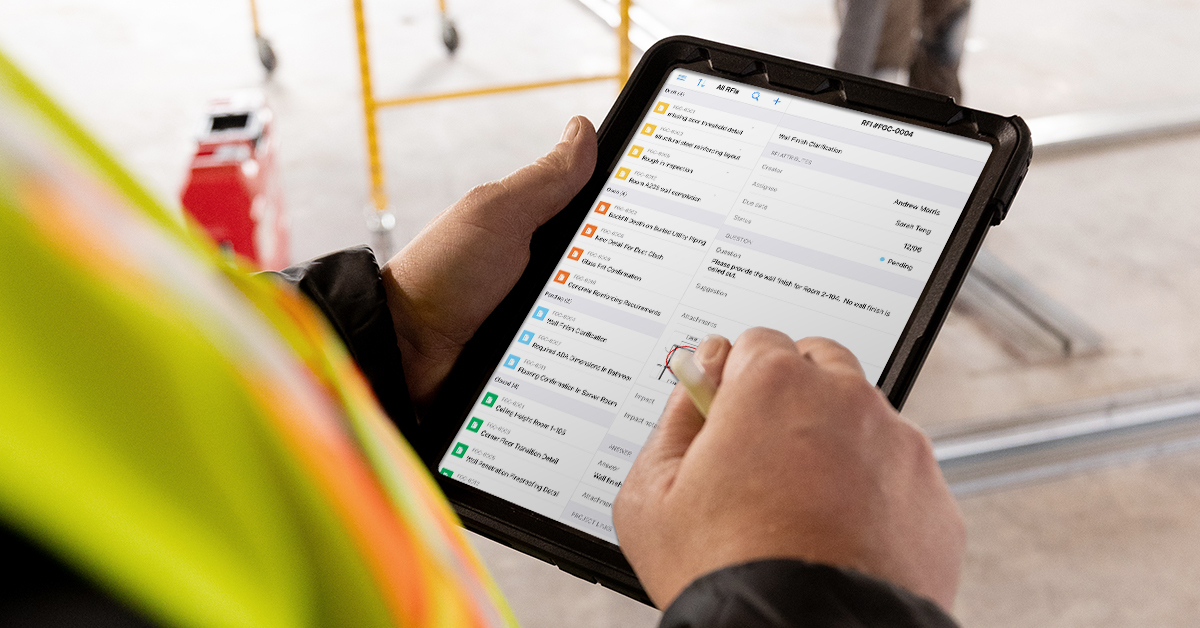
What to look for when evaluating a new construction app
When teams evaluate a new platform, the goal is usually simple: reduce friction on the jobsite without creating more work elsewhere. If you’re considering a switch, here are the essentials your next platform should offer:
1. Ease of use for every team member
Software should be intuitive enough that field crews adopt it quickly, without steep training curves.
Ask yourself: Can most users complete daily tasks without guidance?
2. Mobile & offline reliability
Your team should be able to work anywhere, basements, remote job sites, or anywhere with low connectivity.
Ask yourself: Can teams access drawings and tasks without a signal?
3. Strong core features, done well
Look for plans, tasks, punch lists, markups, reports, and document management that are fast and intuitive.
Ask yourself: Does this app support daily jobsite execution?
4. Transparent, flexible pricing
You should only pay for the features and users you actually need.
Ask yourself: Are you locked into modules you don’t need?
5. Smooth onboarding and migration support Switching tools shouldn’t disrupt projects. You need a partner who makes the transition easy.
Ask yourself: Is there real support during setup and rollout?

How Fieldwire supports a smooth transition for active projects
Migration doesn’t have to be painful when you have the right support in place. If you’re switching from another construction app, here’s how Fieldwire helps:
Simple, intuitive interface: Designed for the field, with minimal clicks and clean workflows.
Mobile-first, with offline mode: Work continues even when you don’t have internet access.
Essential tools, not bloated modules: Plans, tasks, punch lists, markups, checklists, forms, files, reports.
Fast deployment: Start new projects quickly with templates and bulk uploads.
Flexible pricing options: Plans for small teams and enterprise needs.
Resources to help you switch smoothly: From self-serve guides to guided onboarding options, Fieldwire provides the tools and support to make your transition as seamless as possible.
Start planning your migration now: Talk to a migration expert"
Comparison: Field-focused software vs. multi-module construction suites
Not every construction platform is designed for the same use case. Teams evaluating software often compare broad, multi-module suites with more focused field execution tools.
| Category | Typical all-in-one suites | Field-focused apps |
|---|---|---|
| Learning curve | High, heavy interface, many unused features | Fast, crews adopt it quickly |
| Mobile usability | Often secondary to desktop | Built for the field |
| Pricing | Bundled modules increase cost | Pay only for what you need |
| Setup time | Slow, complex implementation | Quick, templates & assisted migration |
| Focus | Enterprise-wide workflows | Jobsite focused |
| Best for | Large organizations using many modules | Any team that wants simple, powerful, reliable day-to-day field tools |
Migration checklist: How to switch software without disrupting active jobs
Before migration
- Define a cutover plan: Decide when the old system becomes read-only.
- Assign a migration owner: One internal point person for decisions and coordination.
During migration
- Migrate high priority, active jobs first: Export plans, documents, markups, tasks, and project files.
- Migrate historical projects and data: Archive outdated content and export only what’s needed.
- Map core workflows: Identify which features matter most: plans, tasks, forms, or checklists.
- Validate sample data: Spot-check drawings and tasks before full rollout.
- Run a pilot project: Start with one team or job to confirm setup.
After go-live
- Train the field early: Seamless adoption by foremen and supers drives success.
- Use Fieldwire’s support team: Get help with structure, permissions, and onboarding.
- Collect feedback and optimize: Adjust templates and workflows based on real usage.
- Limit parallel usage to a short, defined window: If possible, keep the old system read-only after cutover
From our customers: How Dragados-Flatiron Joint Venture ensured a smooth transition from their previous platform to Fieldwire
Why construction teams switch to Fieldwire
Once migration is complete, teams often focus on whether the new platform actually improves daily work.
Construction teams using Fieldwire commonly point to:
- Faster field adoption with minimal training
- Reliable access to drawings and tasks on mobile
- Consistent use across jobsites
- Clear pricing without unexpected add-ons
- Ongoing support as workflows evolve
Ready to make the switch?
If you’re re-evaluating your construction software, Fieldwire can help you move smoothly with:
✔ A dedicated migration specialist
✔ Guided onboarding
✔ Support for importing drawings, files & tasks
✔ Training resources for your whole team
Switching shouldn’t slow you down. With Fieldwire, your team stays focused on what really matters: building great work.


