
Fieldwire vs Procore: Which construction software works best for your team

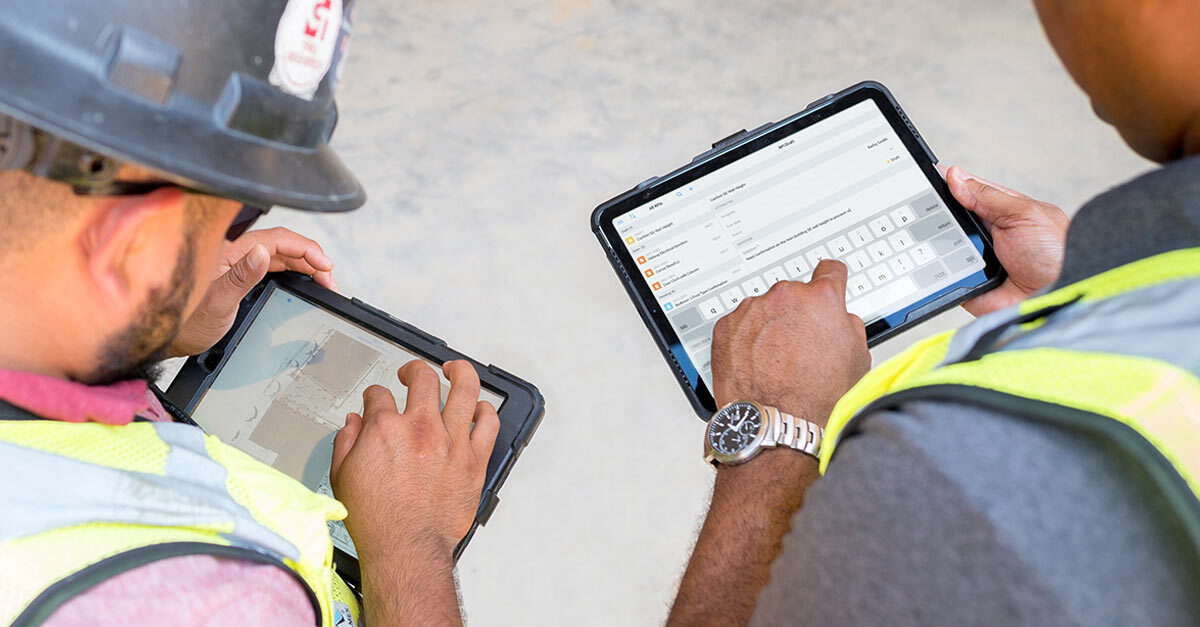
Both Fieldwire and Procore are well respected and widely used construction management tools. Even if many of their features are similar, their core strengths differ. Having a detailed view of how these two software compare can help contractors choose the right tool to match their needs.
Summary
While both platforms are powerful, Fieldwire offers faster onboarding, intuitive mobile-first tools, and strong ROI for small-to-mid-sized contractors. Procore, on the other hand, delivers an extensive enterprise-grade toolkit suited for large, complex projects, but comes with higher costs and a steeper learning curve.
Takeaways
- Fieldwire excels in ease of use, mobile-first design, and rapid adoption, making it ideal for field teams.
- Procore offers broader, enterprise-level capabilities but requires more training and administrative setup.
- Pricing structures differ significantly, with Fieldwire offering more transparent and cost-effective options for smaller teams.
- User reviews show Fieldwire leading in onboarding speed and ROI, while Procore is favored by large organizations managing complex portfolios.
- When choosing construction software, prioritize ease of use, mobile access, core jobsite features, transparent pricing, and reliable support.
Checklist for selecting a jobsite management software
When evaluating construction management software, prioritize intuitive interfaces and mobile access to accelerate onboarding across field and office staff.
Ensure the platform includes crucial features like plan viewing, task tracking, and real-time communication, so your teams can quickly see the impact of the software on their day-to-day organization and efficiency.
Identify which additional features – such as RFIs, custom forms or BIM – are essential to your teams, and which are simply nice-to-have, so you can better evaluate what tools bring real value to your company. Jobsite management software with external app integrations adapts more easily to existing workflows and reduces manual effort.
A free trial or pilot program can help validate the software’s value before full deployment, and reduce resistance to adoption. Additionally, reliable training and support are essential for long-term success.
Price is obviously an important factor to consider, but the lowest-cost option isn’t always the most cost-effective. Software that lacks essential features or support can lead to inefficiencies and higher long-term costs.
Key criteria to consider when choosing construction management software:
- Ease of use: Intuitive interface and mobile access to support quick adoption.
- Core features: Reliable tools for plan viewing, task tracking, and communication.
- Relevant advanced features: RFIs, custom forms, BIM viewer, and other tools your team actually needs.
- Free trial or pilot program: Test with a small team before full rollout.
- Training and support: Onboarding resources and ongoing assistance to maximize value.
- Transparent pricing: Clear cost structure with no hidden fees.

What sets Fieldwire and Procore apart?
Understanding the differences between different construction software can help you choose the best tool for your teams. Fieldwire takes a jobsite-first, mobile-first approach, offering intuitive features and rapid onboarding that make it especially well-suited for teams working in the field.
In contrast, Procore delivers enterprise-grade capabilities designed for managing complex, large-scale projects. While powerful, its broader feature set often requires more time to adopt and involves heavier administrative overhead.
| Fieldwire | Procore | |
|---|---|---|
| Ease of adoption and use | Very quick onboarding; intuitive mobile-first interface | Longer adoption cycle; more training required |
| Core jobsite tools | Task management, plan viewing, punch lists, reports | Punch lists, workforce and document management, scheduling |
| Pricing | Transparent tiers + free option for small teams | Custom quotes; generally higher cost |
| Who it’s best for | Teams of all sizes needing fast, field-ready deployment | Large enterprises managing multi-project portfolios |
Usability & ROI comparison – Fieldwire vs Procore
While it’s important to compare features, what really defines the value of your jobsite management software is how your team feels using it, and how much it saves you. Learn how Procore and Fieldwire compare in terms of onboarding, return on investment, and customer support.
Onboarding
G2 reviews in 2025 show Fieldwire scores 8.7 in ease of setup, against 8.2 for Procore.
Procore offers structured onboarding guides, but users report a steep learning curve and ongoing training needs, especially for large projects.
Fieldwire users, on the other hand, qualify it as a “very user friendly interface”, making onboarding faster across teams.
Customer support
Users of both platforms report being satisfied with their customer support experience. However, Software Advice users rate Procore’s customer support 4.5 stars in 2025, while Fieldwire’s get 4.6.
Some reviews mention the practicality of having Procore video instructions available so “you don't have to wait for someone to help you”, while Fieldwire reviews highlight their customer support teams’ responsiveness, friendly and proactive help.
ROI
Fieldwire has the best ROI for small-to-mid contractors seeking quick wins in field efficiency, due to its lower cost and fast adoption.
Procore has a higher cost than Fieldwire, making the return on investment slower. However, user reviews on Software Advice mention the extra cost can be justified for large companies managing multi-million-dollar projects.

Feature comparison – Fieldwire vs Procore
With over 60% of its features shaped by direct user input, Fieldwire stands out as one of the most user-centric solutions for construction teams. Fieldwire users consistently praise its ease of use and intuitive interface, as reflected in G2 reviews.
Procore is a large-scale enterprise-focused platform, with a wide range of tools covering almost every aspect of construction project management. According to G2 reviews, Procore comes with a longer adoption time and heavier administrative requirements, given the complexity of the software.
Here is a breakdown of how Procore and Fieldwire features compare, with its differences and similarities:
Field management
Field coordination & Communication (Tasks)
Fieldwire’s core functionality revolves around its robust Tasks module. Creating and managing tasks is simple and intuitive, with customizable statuses that reflect real-world stages of a construction project. Procore’s Task tool is more basic and lacks customization options. They offer a Scheduling module that connects project timelines and milestones, but can require more setup to get started.
| Fieldwire | Procore |
|---|---|
| Kanban, calendar, and Gantt view | List, calendar and Gantt view |
| Task creation more intuitive and faster | Basic ‘Tasks’ tool (more a to-do) option |
| Task UI is more user friendly | Categories specified at the company level only |
| Tasks have categories, status, tags | Only 5 options for task status, with no customizable options |
| Texting and photo/sharing is front and center | Disjointed tools for workforce (Daily logs vs T&M tickets vs Workforce Management module) |
| Generate reports with live links and schedule send |
Plan viewing & Document management
Both Fieldwire and Procore software allow construction teams to view, mark up, and compare drawings, from desktop and mobile. The main difference is that Procore’s mobile interface can be complex due to the breadth of features, while Fieldwire’s is faster and more intuitive. Additionally, both platforms offer integrations with other apps to make document management easier.
| Fieldwire | Procore |
|---|---|
| Format for Drawings are PDF and photo formats | Have to manually confirm areas OCR will run |
| Auto Calibration (measurements) kept simple | Has activity pane to track who made what markups/additions to drawings |
| Private markup feature | No quick ability to compare versions |
| Files - can markup/annotate and link to drawings | No capability to markup or annotate files within ‘Documents’ tool |
| Can markup Specifications | No markups on Specifications |
Reports & Custom forms
Creating customizable reports and digital forms for daily logs, safety audits, and QA/QC is possible in Fieldwire and in Procore. The key difference is that Fieldwire’s features are optimized for mobile use, making it easier to capture and share information directly from the field.
| Fieldwire | Procore |
|---|---|
| Can build form templates; fillable PDF’s only in files | Any fillable PDF can be brought into Procore and be a Form |
| Supports Table and math functions | No ability to create a custom form within Procore |
| Customizable approval steps | Forms controlled at the account admin level vs project |
| Supports multiple signatures | Have several other tools in PM module that can be filled out/customized to generate information |
| Control over contributors over permission levels |
Project management
RFIs & Submittals
The simple design of Fieldwire’s RFI and Submittals features allows for a smooth transition from old processes to new, digital and streamlined workflows.
Procore tools are geared towards bigger companies, with options like re-opening RFI’s for editing. All these options, however, can be overwhelming for mid-sized contractors and subs.
| Fieldwire | Procore |
|---|---|
| 1 assignee, but multiple reviewers or watchers of RFI available | Multiple assignees available, with one designated RFI Manager |
| Question, suggestion, impact, and can link to drawing, RFI, CO, Form or Task (project links) | Users have ability to list a schedule and cost impact within the RFI |
| Can respond via email but does not answer RFI | Can create a ‘Change Event’, ‘Instruction’, or ‘Correspondence’ based on the RFI |
| Upload spec and extract submittal log | Submittal register from Specifications or import Excel spreadsheet |
| Need to download log from email and import to FW | Can create complex workflows for submittals |
| Request and submit one at a time | PDF markup tool & cover page generator |
| Each item is a submittal, no packaging | Ability to create submittal packages |
| Export a submittal report |
Change orders & Budgeting
Fieldwire provides an easy-to-use Change Orders workflow. Users can create, submit, and request change orders with automatic status updates and cost calculations. The Change Orders feature is connected to the Budget module, so approved changes instantly update financials.
Procore offers a Financial Management suite with accounting integrations. This depth makes Procore ideal for large, complex projects, though its configuration can be more demanding than simpler solutions – and it comes with a higher cost.
| Fieldwire | Procore |
|---|---|
| Automatic Change Order cost calculation based on a variety of inputs | Includes Change Events for pre-change tracking and forecasting |
| Approved change orders instantly update project budget | Supports ROM (Rough Order of Magnitude) estimates |
| Subcontractor cost assignment | Approved changes flow into owner invoices |
| Cost code import | Integrates with external accounting systems |

Choosing the right jobsite management software
Productivity-boosting features are often what initially attract contractors to jobsite management software. However, when selecting the app your teams will rely on, it's equally important to consider factors that influence usability and long-term value.
Ease of use and fast adoption are critical, especially for crews transitioning from manual workflows. Scalability ensures the platform can grow with your projects, while pricing transparency helps avoid hidden costs.
Most importantly, prioritize mobile functionality and offline access, since field teams rely on smartphones and tablets to stay productive in real-time, even without a stable internet connection.
How can Fieldwire simplify your jobsite management
Choosing the right construction software is essential for contractors who want to work smarter and strengthen their business performance. With Fieldwire, you can quickly see the positive impact on your teams’ productivity, communication and collaboration.
An intuitive app like Fieldwire can help construction companies of every size have easy access to tasks and documents, and adoption feels natural rather than burdensome. When coordination is streamlined, you can reduce downtime and rework, and get more value out of every project.
Simplify your jobsite management with Fieldwire - try it out today.


