
7 best Buildertrend alternatives for plan markup and collaboration in 2026

Your foreman just started overhead rough-in on level two based on drawings from three weeks ago. The architect issued a revision on day one of rough-in, but nobody on the crew saw it because the updated set was in a mobile app nobody trusted enough to check in the field. Verified Capterra reviewers describe Buildertrend's mobile app as crash-prone and limited for jobsite use, with several noting the platform is built around residential workflows rather than commercial coordination, exactly the kind of gap that leaves a crew working off a stale set.
If those gaps sound familiar, here are seven alternatives worth evaluating in 2026. Fieldwire is built for trade and specialty contractors who need mobile, offline plan markup on the jobsite. The six platforms that follow solve different problems: broader project controls, Revit-based design workflows, deeper office-based PDF markup, structured daily reporting, defect tracking, and 3D BIM viewing. Each one comes with tradeoffs real reviewers have flagged, worth knowing before you evaluate them.
What this article covers:
- Communication failures drive 48% of U.S. construction rework, costing billions a year.
- PMs work approval chains on dual monitors while crews work a phone on the deck — revisions die in the gap.
- Small crews, mid-size GCs, and enterprises weigh markup depth, pricing, and admin controls differently.
- Side-by-side look at Fieldwire, Procore, Autodesk, Bluebeam, Raken, PlanRadar, and Dalux.
- Pick one real workflow, run it for two weeks on a live project, and watch crew adoption.
- Why teams leave Buildertrend, pairing Bluebeam with a field tool, and Fieldwire vs. Procore.
Why plan markup and collaboration matter
Poor project data and miscommunication account for 48% of all rework in U.S. construction, producing more than $31 billion in annual rework costs, per a rework study from PlanGrid and FMI Corporation (2018). The dollar figure is dated, but the underlying ratio — nearly half of all rework caused by communication and data failures — is still cited across current industry research. A 5% rework rate on a $10M project means $500,000 gone before anyone files an RFI.
How office and field teams use plans differently
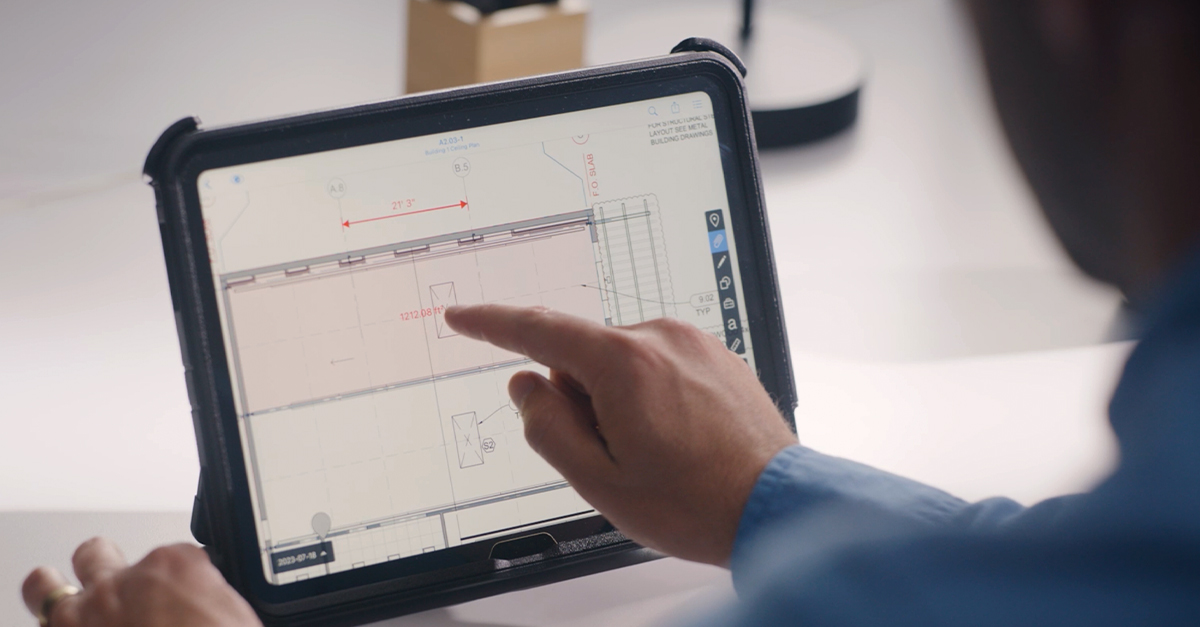
Office and field teams use plans differently, and that gap causes most revision misses. PMs compare revisions on dual monitors and route RFIs through approval chains. A superintendent pulls up the current sheet on a phone and flags a conflict. If those two worlds don't sync, revisions slip through.

What each team size needs
Three crew profiles shape which features matter most.
- Small teams (five to 25 field staff) need lightweight tools crews can adopt without formal training, transparent pricing, and mobile-first markup that works on a phone.
- Mid-size contractors are running several active jobsites at once, and the paper plans, spreadsheets, and group chats that worked at a smaller scale are starting to break down (typically $15M to $150M in annual revenue).
- Large enterprises need configurable permissions, deep reporting, and the ability to scale across hundreds of users and dozens of concurrent projects.
Crews focused on fast field adoption and mobile markups tend to favor field-first tools, while teams that need heavier office controls or deeper design-system ties may lean toward the enterprise options below.
Comparing the 7 Buildertrend alternatives
Each platform is evaluated on plan markup depth, mobile and offline performance, pricing transparency, and team size fit. The list runs from field-first tools through enterprise platforms to dedicated markup specialists.
How the 7 alternatives compare at a glance
| Tool | Best for | Starting price | Mobile + offline | Free tier |
|---|---|---|---|---|
| Fieldwire by Hilti | Trade and specialty contractors, field execution | $39/user/month (Pro) | Strong; full offline mode with auto-sync | Yes (5 users, 3 projects, 100 sheets) |
| Procore | Large GCs, broader project controls | Custom (ACV-based) | Improving; iOS/Android updates in early 2026 | No |
| Autodesk Construction Cloud | Teams in Autodesk/Revit ecosystem | Custom (per-seat not published) | Strong on iOS/Android | No |
| Bluebeam Revu | Office teams, estimators, deep PDF markup | $260/user/year (Basics) | Limited; Windows desktop primary, iPad app retired Dec 31, 2025 | No |
| Raken | GCs and supers needing structured daily reports | About $15/user/month (Basic, per third-party reporting) | Strong on mobile reporting | Free subcontractor access at all tiers |
| PlanRadar | Quality and defect management, EU/intl. projects | €26/user/month (Basic) | Offline on iOS, Android, Windows | No |
| Dalux | BIM coordinators, 3D model access in field | Custom (Field tier) | Strong; integrated 2D + 3D viewing | Yes (BIM Viewer is free) |
Pricing reflects publicly listed rates as of early 2026 where vendors publish them. Several vendors have moved to quote-only models, so verify current pricing directly with each vendor before committing.
Fieldwire by Hilti for jobsite plan markup
Fieldwire is a jobsite management platform built for field teams first, and Hilti acquired the company in 2021. G2 reviewers consistently cite ease of use as a primary strength, which translates to fast adoption with minimal formal training.
Key features
Markup tools support text, shapes, measurements, photos, and video from a phone or tablet. Sheet compare, available on Pro tier and above, highlights changes between drawing revisions. Full offline mode with automatic sync on reconnect.
Pros
- High ease-of-use ratings on G2, with reviewers citing an intuitive interface and quick onboarding for field crews
- Transparent tiered pricing with a free plan for up to five users
- Plan markups and location-based tasks are tied directly to drawings, with photos captured in the same workflow
Cons
- Desktop markup editing is less intuitive than mobile, per G2 reviewer feedback
- App integrations require the Business tier ($64/user/month) at minimum
- RFIs, submittals, and change orders are gated behind Business Plus ($89/user/month)
Pricing
Free Basic plan (five users, three projects, 100 sheets). Pro starts at $39/user/month billed annually. Business is $64/user/month, Business Plus is $89/user/month. Custom enterprise contracts available.
Who Fieldwire is best for
Trade and specialty contractors on commercial projects who need plan markup and task management that works on mobile, offline, and without crew training.
Procore for broader project controls
Procore is an enterprise construction management platform with project oversight, financial controls, and field tools. ACV-based pricing includes unlimited user access.
Key features
Connected Items pins coordination issues directly on documents and links markups to specific project items. Mobile updates in early 2026 expanded document filtering on iOS and Android.
Pros
- Unlimited user access benefits large GCs managing extended subcontractor networks
- Significant markup and mobile updates shipped through early 2026
- Connected Items links markups to specific project items on documents
Cons
- Pricing is not published publicly and requires direct sales engagement
- Verified Capterra reviewers commonly flag pricing as a barrier for smaller contractors
- Setup complexity requires dedicated resources and longer onboarding
Pricing
Annual Construction Volume model. Pricing requires direct engagement with Procore's sales team.
Who Procore is best for
Large GCs managing high-volume commercial projects with complex subcontractor networks and dedicated IT resources. Specialty contractors and mid-size teams whose primary gap is field execution typically find a field-first layer like Fieldwire easier to roll out without the procurement cycle.
Autodesk Construction Cloud for Revit-based workflows
Autodesk Construction Cloud follows the shift from PlanGrid, no longer sold to new customers and now folded into Autodesk Build, which includes field-focused capabilities such as drawings, markups, and on-site collaboration, alongside broader modules for submittals, RFIs, cost management, and work sequencing. Revit integration and version control prevent accidental overwrites.
Key features
Drawing markup tools include shapes, text boxes, calibrated measurements, and the ability to hyperlink markups directly to RFIs. Optical character recognition (OCR) scans, links, and labels sheets automatically.
Pros
- More than 400 integrations across the Autodesk ecosystem and adjacent tools
- Essentials provides a lighter-weight tier for field-focused teams
- OCR automatically scans, links, and labels sheets, reducing manual sheet management
Cons
- Drawing markup is widely viewed as less powerful than dedicated PDF tools like Bluebeam, per G2 reviewer feedback
- Some G2 reviewers report missing PlanGrid features post-migration
- Autodesk does not publish per-seat pricing, so quotes are required for any meaningful budget comparison
Pricing
Autodesk does not publish per-seat pricing on its product pages. Customers are directed to request a quote. Verify current pricing directly with Autodesk.
Who Autodesk Construction Cloud is best for
Teams already invested in the Autodesk ecosystem (Revit, BIM 360) who need design-to-field continuity. Former PlanGrid users should evaluate carefully, as the product experience has changed significantly — teams that valued PlanGrid's mobile-first, plan-centric workflow often evaluate Fieldwire as a closer match to that original approach.
Bluebeam Revu for office PDF markup
Bluebeam Revu has long been used as a PDF markup and document collaboration tool, with consistently high ratings from Capterra reviewers. Studio Sessions let external collaborators join real-time markups with a free Bluebeam ID.
Key features
Overlay and batch compare for drawing revisions. Quantity Link (Complete tier) feeds measurements directly to Microsoft Excel. CAD plug-ins for AutoCAD, Revit, SolidWorks, and Navisworks.
Pros
- External collaborators join Studio Sessions free with a Bluebeam ID
- Multi-scale viewports and calibrated measurements built for estimating and QA/QC
- Overlay and batch compare tools built specifically for tracking drawing revision changes
Cons
- Windows-only desktop app with no native Mac support; iPad app retired December 31, 2025
- Mobile app still maturing — verify current Android offline sync status with Bluebeam directly
- Steep learning curve that overwhelms field crews with limited training time, per reviewer feedback
Pricing
Basics starts at $260/user/year, Core at $330/user/year, and Complete at $440/user/year. All plans billed annually.
Who Bluebeam Revu is best for
Office-based teams and estimators who need the deepest possible PDF markup and calibrated measurement tools on a Windows desktop. Field crews needing mobile-first markup typically pair Bluebeam with a dedicated field tool such as Fieldwire, since Bluebeam isn't built for offline use on a phone during construction.
Raken for structured daily reporting
Raken is a field documentation platform built around daily reporting. Reports compile work logs, photos, checklists, and materials into a branded PDF, and subcontractors submit reports free at every tier. The Performance plan adds RFIs with a Bluebeam integration for drawing markup, requiring a separate Bluebeam license.
Key features
Field crews input work logs, photos, and checklists that auto-compile into a branded PDF. Subcontractor reports are automatically indexed into the GC's master daily report.
Pros
- Strong Capterra reviews from field users on mobile usability and daily reporting
- Free subcontractor access on every project, all tiers
- Basic plan starts at about $15/user/month per third-party reporting, making it a relatively low entry point in the category
Cons
- No dedicated plan markup environment; full drawing markup requires a separate Bluebeam license through the Performance plan's RFI workflow
- RFIs, digital forms, time tracking, and safety documentation gated behind the Performance plan
- No financial management, Gantt-based work planning, budgeting, or client portal at any tier
Pricing
Raken no longer publishes per-tier pricing on its pricing page and requires a direct quote. Third-party reviewers report Basic starting around $15/user/month. Higher tiers (Pro, Performance, Enterprise) require direct engagement for current pricing. Verify directly with Raken before budgeting.
Who Raken is best for
GCs and superintendents who need structured daily reports with automatic subcontractor input. Teams that also need plan markup, punch lists, and offline drawing access on mobile typically run a second tool alongside it, such as Fieldwire, since Raken doesn't ship with a native markup environment.
PlanRadar for defect and quality management
PlanRadar is a cloud-based platform for documentation and reporting on construction and facility management projects, with defect tracking pinned directly to plan locations and photo documentation built into every issue.
Key features
BIM model viewing (Pro and Enterprise tiers) and QR codes for on-site asset linking. Gantt view work planning and document management with audit trail.
Pros
- Highly rated for ease of use on GetApp
- Plan markups tied directly to drawings, with photo evidence attached to each defect
- Offline mode on iOS, Android, and Windows apps for field access without connectivity
Cons
- Setup time and template configuration noted as drawbacks by verified reviewers
- Pricing varies by region, with discrepancies between sources on Pro tier costs
- Stronger on quality and defect workflows than broader jobsite collaboration
Pricing
Basic starts at €26/user/month. Starter is €89/user/month, and Pro ranges from €129 to €159/user/month. Verify current pricing directly with PlanRadar.
Who PlanRadar is best for
Commercial and infrastructure teams with a quality and defect management focus, especially on European or international projects. Teams whose primary need is broader jobsite collaboration (plan markup tied to tasks, daily reports, and team assignments) rather than defect-tracking specifically typically look at a field-first tool like Fieldwire instead.
Dalux for 3D BIM viewing in the field
Dalux is a Danish construction platform with two products: Dalux Field for site management and Dalux BIM Viewer (free). Per Dalux's about page, the platform reports use across more than 140 countries, with strongest adoption in Europe.
Key features
Combined 2D drawing and 3D BIM model viewing with federated model support (multiple IFC and Revit files loaded simultaneously). Site inspections and issue tracking within the viewer.
Pros
- Free BIM Viewer for 3D model viewing on mobile
- Reviewers highlight the intuitive interface and integrated 3D viewing capabilities
- Federated model support for multiple IFC and Revit files loaded at once
Cons
- Dalux Field pricing is not publicly listed and requires direct vendor contact
- Focused on BIM and field inspection workflows, with limited financial or daily reporting features
- Strongest adoption in European markets, with a growing but smaller footprint elsewhere
Pricing
Dalux BIM Viewer is free. Dalux Field pricing requires direct vendor contact.
Who Dalux is best for
BIM coordinators and site supervisors on commercial or infrastructure projects where 3D model access in the field is non-negotiable. Teams whose jobsite work runs on 2D plans rather than coordinated 3D models typically find a 2D-first platform like Fieldwire a closer match to the day-to-day workflow.
How to narrow your shortlist to two or three tools
The right next step is to narrow your shortlist to two or three tools based on the specific gap each one solves, then test each on a live project before committing.
Trade contractors and specialty crews focused on mobile and offline plan markup will find Fieldwire's free Basic plan sufficient to validate the workflow on an active project — five users, three projects, and 100 sheets is enough to run a real punch list closeout or sheet revision cycle without committing budget.
The other six platforms each solve narrower problems and come with reviewer-flagged tradeoffs to weigh:
- Procore covers broader project controls and unlimited user access, though Capterra reviewers flag pricing and setup complexity as barriers for smaller contractors.
- Autodesk Construction Cloud fits teams already invested in Revit and BIM 360, though G2 reviewers report that markup tools are less powerful than dedicated PDF software and that former PlanGrid users miss capabilities post-migration.
- Bluebeam Revu remains a long-used office PDF markup tool, but it's Windows-desktop primary, the iPad app retired in late 2025, and reviewers note a steep learning curve that doesn't suit field crews on a phone.
- Dalux offers a free BIM Viewer worth evaluating if 3D model access in the field is non-negotiable, though Field tier pricing is not public and the platform's strongest adoption is European.
- PlanRadar and Raken are narrower still — quality and defect tracking, and structured daily reporting, respectively — and reviewers consistently note neither covers broader jobsite collaboration on its own.
A practical evaluation approach: pick one real workflow (punch list closeout, RFI cycle time, or sheet revision adoption) and run it for two weeks on a live project. Watch whether your crew actually opens the app on the deck, not whether the demo looked good in the trailer. Adoption is the only metric that determines ROI on construction software, and it's the one that's hardest to fake during a sales cycle.
Frequently asked questions about Buildertrend alternatives
Verified Capterra reviewers describe Buildertrend's mobile app as crash-prone and underpowered for jobsite use, with several noting the platform is built around residential workflows and integrates poorly with QuickBooks for commercial-scale operations. Commercial GCs and specialty contractors typically cite plan sharing and jobsite collaboration gaps as the trigger for evaluating alternatives — gaps that mobile-first tools like Fieldwire are built specifically to close.
Yes, and it's a common pairing because Bluebeam isn't built for offline mobile use on the deck. Bluebeam handles deep PDF markup and drawing comparison on Windows desktops, where reviewers consistently rate its capabilities highly. For plan access on the jobsite — especially offline — teams typically pair it with a mobile-first field tool like Fieldwire, which is designed to run on a phone in low-connectivity conditions where Bluebeam isn't a fit.
Fieldwire offers a free Basic plan for up to five users, three projects, and 100 sheets — enough to run a real workflow on a live project before committing to a paid tier. Dalux BIM Viewer is also free, though it's narrower in scope (3D model viewing rather than full plan markup and task management) and Dalux Field, the paid product, doesn't publish pricing.
Buildertrend is built for residential builders and remodelers, with features like homeowner selections, warranties, and client-facing financial tools. Fieldwire is built for commercial, industrial, and heavy-civil field teams, with mobile-first plan management, offline access, and task coordination designed for jobsites with larger crews and stricter documentation requirements. If your projects involve homeowner communication and change selections, Buildertrend's feature set fits that workflow. If your projects involve coordinating trades across a commercial site, Fieldwire's field-first approach fits better.


