
6 best construction management tools for field teams
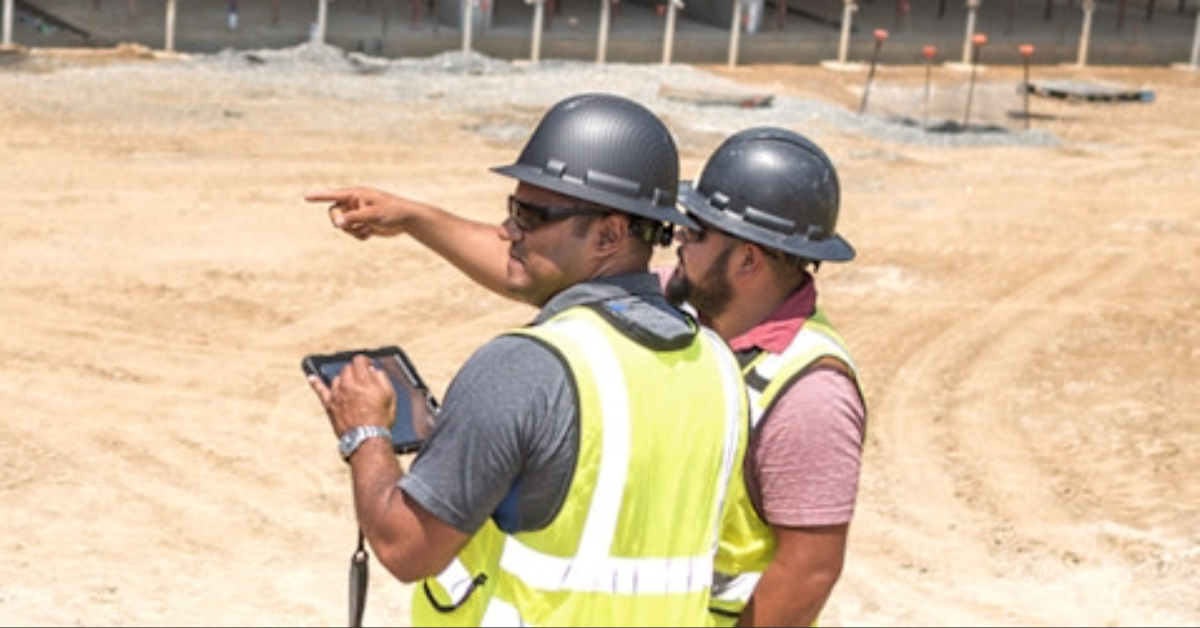
Your field crew just finished work on the third floor, but nobody told the drywall guys the hold was lifted. Now two crews are in the same space and a day is lost, all because the update never made it from the field to the rest of the team.
The six platforms below are evaluated on one thing: how well they work for people on the jobsite.
What this article covers:
- The five field-readiness capabilities that separate a usable tool from shelfware
- How Fieldwire, Procore, Autodesk Forma Build, Raken, Buildertrend, and HCSS compare on field workflows
- Where each platform fits by company type, project mix, and field-vs-office orientation
- Offline access, pricing transparency, and plan markup at a glance in one comparison chart
- Answers to the most common field questions contractors ask before choosing software
What to look for in a good jobsite management tool
Not every feature matters equally when your crew is standing on a concrete deck with a phone in one hand. Prioritize these five capabilities:
-
Real-time access: Field updates should reach the office quickly, with offline sync for dead zones.
-
Fast issue creation and tracking: Logging a punch item, inspection flag, or field delay should take seconds from a phone. If it takes longer, crews stop using it.
-
Photo and document markup: Photos tied to drawing locations with automatic GPS and timestamp metadata are useful for site documentation and dispute records.
-
Clear field-to-office communication: Conversations need to connect to specific tasks and locations on site, not sit buried in group texts.
-
Fast onboarding: If the app takes much more than a few minutes to learn, parts of the crew tend to drift back to paper.
Miss any of these and the tool tends to drift toward shelfware.
The 6 best jobsite management tools for field crews
Each platform is evaluated on field readiness: offline access, ease of use for crews, plan markup, and pricing transparency.
Fieldwire by Hilti
Fieldwire is a field-first jobsite management platform from Hilti. Built around drawings as the central coordination layer, it connects real-time field documentation, issue tracking, on-site communication, and inspection readiness for field-heavy teams across commercial construction.
Key features
The platform is built around drawings as the central interface. Field crews can log issues and inspection items directly on plans, attach photos and notes, assign them with due dates, and track them through to resolution. Fieldwire markets offline support and sheet-comparison tooling as core to its field workflow.
Pros
- Mobile-first interface that field teams can typically pick up without lengthy formal training
- Drawing-revision workflow designed to keep teams on the latest plan set; users get a flag when viewing past revisions
- Plan-linked issue tracking and real-time field documentation give the office visibility into what's happening on site without a phone call
Cons
- Per-user pricing means inviting subcontractors or outside collaborators can affect cost
- Document-sharing workflows with outside users feel more constrained on lower tiers
Pricing
Fieldwire publishes four tiers plus custom Enterprise contracts. The free Basic plan covers up to five users, three projects, and 100 sheets. Paid tiers are Pro at $39, Business at $64, and Business Plus at $89/user/month when billed annually. Pricing as listed on the Fieldwire pricing page; verify before purchase.
Who is Fieldwire best for?
Field-heavy teams across commercial construction: trade and specialty contractors, GCs with self-performing crews, and any team that puts jobsite coordination at the center of how they work. Its free tier makes it easy to trial on a real project before committing.
Procore
Procore is a leading enterprise construction management platform serving GCs, specialty contractors, and owners across large project portfolios.

Key features
Procore's mobile app is positioned around daily logs, punch lists, RFIs, photos, and drawing management. The platform also includes BIM tooling that lets teams view models on tablets in the field.
Pros
- Positioned as a single source of truth for drawings, RFIs, submittals, and daily reports on GC-led projects
- Foremen can upload photos and updates directly from the field, though reviewers on G2 note the mobile experience can feel heavy for crews coming from simpler tools
- Procore markets unlimited users and data storage as part of its commercial model
Cons
- Onboarding is often involved, particularly for subcontractors newer to digital tools; user reviews on Capterra frequently cite a steep learning curve for field users
- Can feel heavier than necessary for teams not using most modules
Pricing
Based on annual volume with no published per-seat rates. Contact Procore sales for a custom quote.
Who is Procore best for?
Large GCs and owners managing high-volume portfolios who need deep financial controls alongside field execution. Smaller firms and field-heavy crews often find Procore heavier than they need, and many subs on Procore-led jobs keep a field-first tool like Fieldwire for day-to-day plan access and internal documentation.
Autodesk Forma Build (formerly Autodesk Build)
Autodesk Forma Build is Autodesk's current naming for the Autodesk Build workflow. Autodesk's pricing page notes that Autodesk Construction Cloud is now part of Autodesk Forma, so some resources may still use earlier branding.
Key features
Field teams can access project information from mobile devices to stay connected on site. Autodesk's product materials describe mobile offline support for photos, markups, issues, and forms.
Pros
- Real-time access to RFIs, submittals, drawings, and issue statuses
- Non-technical site staff can view collaboration models with minimal guidance, though reviewers on G2 note benefits land most clearly for teams already standardized on Autodesk tooling
- Integration with the Autodesk design ecosystem suits teams using Revit or Civil 3D
Cons
- Web access is geared toward connected use, with workarounds rather than first-class offline support
- Drawing markup and measuring tools may feel less developed than dedicated markup platforms; reviewers on Capterra cite a long learning curve and a UI that field users find dense
Pricing
Bundles are available through Autodesk sales, with user-based, project-based, and account-based pricing structures.
Who is Autodesk Forma Build best for?
Teams already embedded in the Autodesk ecosystem who need connected design-to-field workflows. Trade contractors and field-heavy crews looking for a simpler mobile-first jobsite tool often pair Autodesk's BIM and document ecosystem with a lighter field app like Fieldwire for real-time field documentation, issue tracking, and on-site coordination.
Raken
Raken is a field platform built around daily reporting, time tracking, and safety management. It works as a complement to broader construction software platforms.
Key features
Branded daily reports with photos, videos, and automated distribution are positioned as a replacement for end-of-day reporting via email. Raken markets a higher tier that adds geofenced time tracking with kiosk mode for crew clock-in.
Pros
- Field teams often adopt Raken specifically for daily-reporting workflows after first use, though reviewers on G2 note the strength is concentrated in reporting rather than full plan-and-task workflows
- Automated report distribution reduces manual end-of-day emailing
- Pricing tends to be more accessible for smaller companies than enterprise platforms
Cons
- Drawing management, plan markup, and issue tracking are not the platform's primary focus
- Photos can take a long time to load in both app and desktop versions
Pricing
Raken's published pricing starts at $23/user/month for Basic and $59/user/month for Performance, with team-size and feature variations available; verify current rates before purchase.
Who is Raken best for?
GCs and superintendents who need reliable daily reporting but already have a separate platform for plan markup, issue tracking, and broader field coordination.
Buildertrend
Buildertrend is a residential platform for home builders, remodelers, and specialty contractors, focused on client-facing portals for progress visibility, selections, and change orders.
Key features
Daily logs with photo and video uploads keep the office informed, and Buildertrend's project management features include a time clock that lets field crews clock in and out by jobsite from their phones. Buildertrend also markets a homeowner-facing client portal for visibility into timelines and selections.
Pros
- Daily-log workflow supports detailed site visit records, meeting notes, and photos in residential workflows
- Job information is accessible across computer, iPad, and phone
- Customer support is a recurring point of positive feedback in user reviews, though reviewers on G2 note the platform's design center remains residential rather than commercial construction
Cons
- Frequent email notifications can be hard to fully disable; reviewers on Capterra flag notification volume as a recurring friction point
- The platform is oriented around residential workflows; features like RFIs, submittals, drawing management, and issue tracking are not its primary focus
Pricing
Buildertrend's pricing is offered through custom quotes, with all plans positioned to include unlimited users and projects.
Who is Buildertrend best for?
Residential home builders and remodelers who want construction management and client communication in one place. Commercial trade contractors, specialty contractors, and GCs running multi-trade work generally find Buildertrend's residential orientation a poor fit.
HCSS
HCSS is a heavy civil software platform used in road and highway, sitework, utilities, and heavy equipment fleet workflows. Its product suite spans estimating, field operations, and fleet management for heavy civil contractors.
Key features
HCSS markets HeavyJob for daily time card capture, cost tracking against estimates, and field photo documentation. The platform also includes plan management and fleet management modules covering vehicles and equipment.
Pros
- Crew- and equipment-based estimating with historical production data is a strength in heavy civil
- 24/7 support is a recurring point of positive feedback in user reviews, though reviewers on G2 note the interface can feel inconsistent across modules
- Includes integrated fleet management tooling alongside field operations
Cons
- Interface can feel inconsistent across modules; reviewers on Capterra cite a learning curve for crews moving between estimating, field, and fleet workflows
- Comprehensive pricing is not published on the website
- Built for heavy civil rather than vertical commercial construction
Pricing
All pricing requires direct contact with HCSS sales. Expect pricing to scale with modules and users.

Who is HCSS best for?
Heavy civil, road and highway, sitework, and utility contractors who need estimating, field operations, and fleet management in one platform. Vertical commercial trade contractors and GCs typically find the scope a poor match for jobsite coordination, real-time field documentation, and inspection tracking.
Pick the best construction management software for your crew
The best jobsite management software is the one your field teams actually use. What matters is reliable offline access, fast issue creation and tracking, real-time plan updates, and an interface that doesn't require a training manual.
If you're a trade contractor, specialty contractor, or GC with self-performing divisions, Fieldwire is built for how field crews actually work on the jobsite. It offers mobile-first plans, real-time field documentation, and issue tracking with offline support, plus published pricing including a free tier. Start free or book a demo to compare it against your current process.
Frequently asked questions about construction management tools
In short, field-first tools are positioned around how crews work on a jobsite: offline support, fast issue creation from a phone, and a low-friction setup. Office-first platforms emphasize project coordination, financials, and reporting alongside their mobile capabilities. A tool built for a desk will feel different to a foreman walking a site.
It depends on the platform. Fieldwire supports offline work in the field and syncs updates when the device reconnects, which helps crews working underground or on remote sites. Some platforms offer limited offline viewing but require connectivity for most actions. Test any candidate in the worst-connectivity spot on your current jobsite, and walk through a construction software evaluation checklist before committing.
Yes, with caveats. For platforms with drawing management built in (Fieldwire, Procore, Autodesk Forma Build, and HCSS in this guide), digital plan viewing on phones and tablets with sheet versioning and markup tooling is part of the core workflow. Raken and Buildertrend are not focused on plan management. Tools that combine drawing-based field workflows with offline support let crews log and track field issues on drawings in dead zones, with previously synced sheets available on the device. Pick a platform your least tech-comfortable foreman can figure out quickly.


