
How construction closeout documentation helps contractors limit warranty callbacks

The owner calls about a roof leak 10 months after substantial completion. The superintendent pulls up the project folder and finds the as-builts show the original drain location, not the one the plumber actually installed after the request for information (RFI) was approved. That missing markup is the kind of construction closeout documentation gap that leaves the team without a clear record to explain the repair. The clearest handover record starts earlier, in the closeout documentation captured during the job itself, not in a warranty system spun up after the call comes in.
That's why the closeout records your crew builds throughout the project matter so much. They make handover clean and give you something to stand on when warranty questions surface months later, so documentation discipline during the job pays for itself long before the warranty period starts.
What this article covers:
- Clean records make handover traceable and easier to defend when disputes arise later.
- Gaps in punch lists, drawings, and handover records often turn closeout mistakes into warranty claims.
- Teams build stronger closeout packages by capturing punch items, markups, photos, and reports as work happens.
- Closeout tools organize turnover documents before substantial completion, while warranty platforms manage claims afterward.
- Verified sign-offs, current drawings, and location-based records help contractors hand over projects with confidence.
- The FAQ explains required documents, timing, warranty exposure, and what makes records easier to defend.
What construction closeout documentation actually means
Construction closeout documentation gives the owner organized, verified records that are easy to trace. Every punch item links to a verified completion date and a responsible party, with owner acknowledgment sitting in that same record. Every as-built markup traces to the approval behind the field change, such as an RFI or approved deviation.
Among those records, the punch list is often the most important closeout document on the project. Closeouts get cleaner when teams build the file throughout the job instead of scrambling at the end. Start on day one.
Why a messy closeout comes back as warranty callbacks and disputes
A closeout package can look complete on paper and still leave the contractor with unanswered questions months later. Punch list gaps and inaccurate as-builts create many of the questions that show up after handover, and missing records showing the condition of work at handover can make those questions harder to resolve. The next three sections look at each of those gaps in turn.
Deficiencies that slip past the final walkthrough
When a contractor can't distinguish resolved from unresolved punch items at handover, the owner can reframe unresolved items as warranty defects after move-in. Without timestamped, signed-off completion records, you can't establish the timeline of resolution.
That same ambiguity can blur the start of warranty obligations on a project. If you can't prove when items were completed, you can't prove when your warranty obligations started running, and the ambiguity tends to work against the contractor.
As-builts that miss field changes
Inaccurate as-builts create two problems at once: the owner can't maintain the building correctly, and you can't prove you built it to spec. Contractors can be held responsible for inaccuracies in the drawings and the consequences that follow, which often includes added cost.
The MEP trades show how quickly those costs add up. Consider a mechanical, electrical, and plumbing (MEP) contractor who relocates a plumbing run to avoid a structural conflict. The RFI is documented, but the as-builts still show the original location. Eighteen months later, a leak occurs, and the maintenance team opens the wall at the drawn location. They find the wrong spot. Now the owner has additional demolition costs and a warranty claim larger than the original repair. An RFI trail reflected in the as-builts shows that the field change was approved and gives the contractor a clearer record to use.
Missing handover records when an owner disputes a claim
Even when punch lists and as-builts hold up, the condition of work at handover can still be disputed. Commissioning records and QC records are what establish that condition. When those records are missing, the discussion can move from document comparison to questions about negligence or expert testimony, which can add legal fees.
What strong closeout documentation looks like
The way to avoid those gaps is to capture records progressively, while the work is still visible and fresh. That habit gives your team a clearer record before warranty questions come up, and it shapes each of the documents and workflows below.
Punch lists with verified sign-off
Start a rolling punch list on day one, and keep it active through the final walkthrough. Deficiencies caught in week four don't pile up into a 200-item sprint in the final two weeks. Each item needs a specific description with a location, such as "patch and paint drywall at column E-4, Level 2." It also needs a responsible party, a completion date, and individual owner or architect acknowledgment. Use a four-stage status system (Open, In Progress, Verified, Closed) so inspection comes before closeout.
Fieldwire supports this workflow with punch items and a two-step verification process. Only admins can verify true completion of a deficiency, so trade contractors or the general contractor (GC) can mark an item done while the architect performs the verification step. Items carry photos and videos, with notes in the same record, and teams can filter by status or assignee for reporting.
As-builts captured as the work happens
The same "capture as you go" habit applies to as-builts. Waiting until the end of the project to redline as-builts means relying on memory and incomplete field notes, which produces drawings that don't accurately reflect what was actually built. The field-level habit is simple: every time a crew makes a field change, resolves an RFI, or installs something differently than the original design, the markup goes on the drawing immediately.
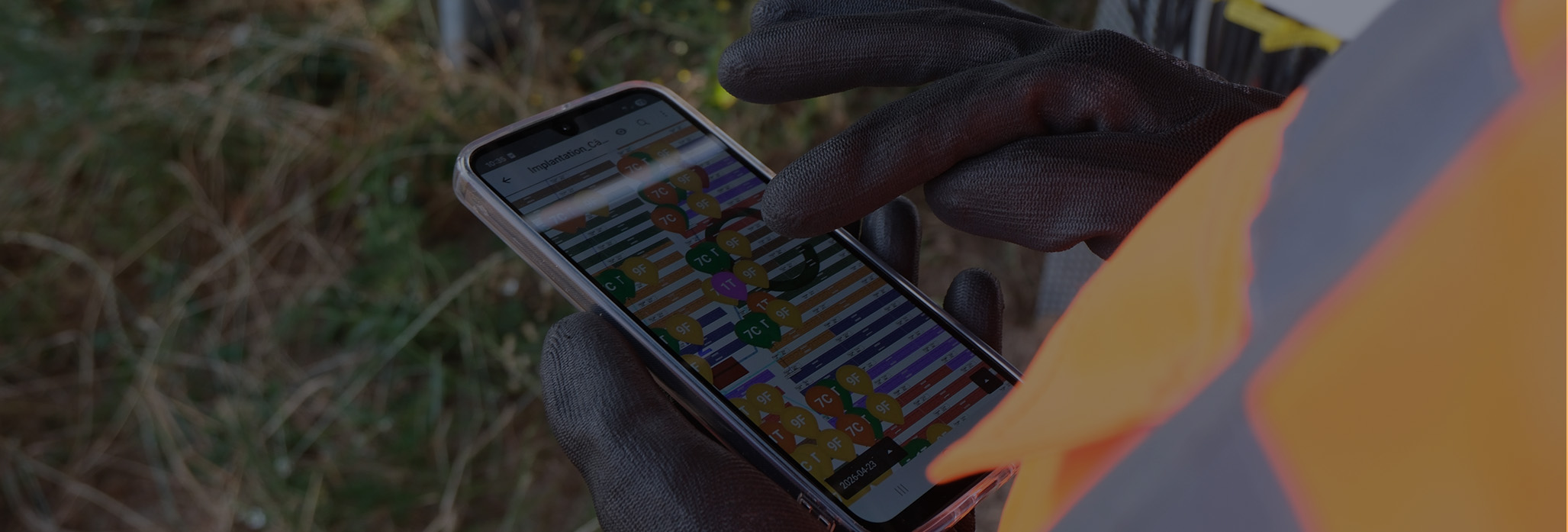
Fieldwire's as-built tools let crews add annotations and progress photos directly on drawings from mobile devices. Crews can keep working offline in tunnels, basements, and remote locations. Every plan retains a complete version history, and at project completion, record drawings with all field markups export as layered PDFs in a single action.
Photo and inspection records tied to the plans
Markups capture geometry, but they don't capture condition. That's where plan-linked photos and inspection records come in. A photo that isn't tied to a specific plan location and task forces the responsible crew to figure out where the issue is before they can start fixing it. Photos of concealed work are especially high-stakes: once the ceiling goes up or the wall closes, the photo taken before cover is the only proof of what's behind it. Standardized inspection checklists give crews a repeatable QC process on top of those photos.
In Fieldwire, crews attach photos and annotations to specific points on plans, link them to the task's location, and create a searchable visual record organized by location and trade. Pre-loaded inspection templates ensure consistency across projects.
Closeout and handover reports in a few clicks
Punch items, markups, and photos only become a turnover package if they're organized. Start collecting closeout documents at project kickoff. Create an organization system on day one that categorizes deliverables by responsible party: financial and legal records, operational documents (as-builts, operations and maintenance (O&M) manuals, warranties, punch lists), administrative records, and certificates.
Once that structure is in place, reporting on what's complete and what's still open becomes a filter rather than a manual roundup. Fieldwire allows you to generate custom reports filtered by date range, priority, category, or assignee, and reports can be saved as reusable templates and shared with project stakeholders such as owners or general contractors.

One shared status view for the whole project team
Even a well-organized closeout file falls apart when nobody can see it at the same time. When project records are split across separate tools and devices, nobody has a clear picture of where closeout actually stands. Fieldwire gives team members real-time visibility into plans, tasks, and documentation from any device, so everyone sees the same information whether they're on the third floor or in the trailer.
Where closeout documentation ends and warranty software begins
The records covered above stop at handover. The boundary between closeout tools and warranty management software is substantial completion. Before that line, you're assembling a turnover package. After it, you're tracking ongoing obligations that can run for years. Warranty documents at the closeout stage are components of the turnover package, and the closeout tool verifies they exist, have been approved, and have been handed to the owner.
Dedicated warranty management software picks up where closeout ends. These systems handle claim intake and routing, service-level agreement (SLA) and response-time tracking, warranty period management, subcontractor dispatch, and cross-project trend analysis. In practice, that means a warranty management plan with assigned contacts and priority-based response timeframes.
Fieldwire sits on the closeout side of that line. As a mobile-first jobsite management platform, it helps trade contractors, specialty contractors, and other field teams build a defensible handover package.
A clean closeout package with verified records that are timestamped and tied to a location is the foundation any post-handover warranty defense depends on. It lets you respond to a warranty claim 10 months later, or pass a claim through to the responsible sub with the documentation to back it up.
Hand over a project you can stand behind
The records you capture during the job separate a clean handover from a callback waiting to happen. Verified sign-offs and current drawings give your team a clearer record when a warranty question surfaces months later, and plan-linked inspection photos add the visual proof behind the work.
Capturing those records is only useful if the whole team can see them. Fieldwire gives field teams and office staff a shared, real-time view of plans, tasks, and documentation, so everyone's working from the same page, whether they're on the third floor or in the trailer.
Frequently asked questions about construction closeout documentation
A complete closeout package includes the punch list with individual sign-offs, as-built drawings, O&M manuals, collected warranties and guarantees, lien waivers, commissioning and test reports, certificates of substantial completion and occupancy, the change order and RFI logs, the final payment application, and training documentation.
At project kickoff. Every time a submittal gets approved or a product ships with a warranty card, it goes into the closeout folder. Teams that wait until the last two months end up trying to complete documentation tasks in an impossibly small window, which is when items get missed.
The contractor's obligation to physically correct defective work commonly runs for one year after substantial completion. An owner may still pursue breach-of-warranty claims subject to the applicable state statute of repose, which varies by jurisdiction.
Yes. Unfinished punch list work can create disputes over when warranty obligations began and whether the project was fully complete at handover.
Contemporaneous creation, timestamps establishing when something occurred, a complete chain tracing each document to a specific contract requirement, and owner-acknowledged completion make closeout documentation stronger.


