
How jobsite management software standardizes work across multiple jobsites
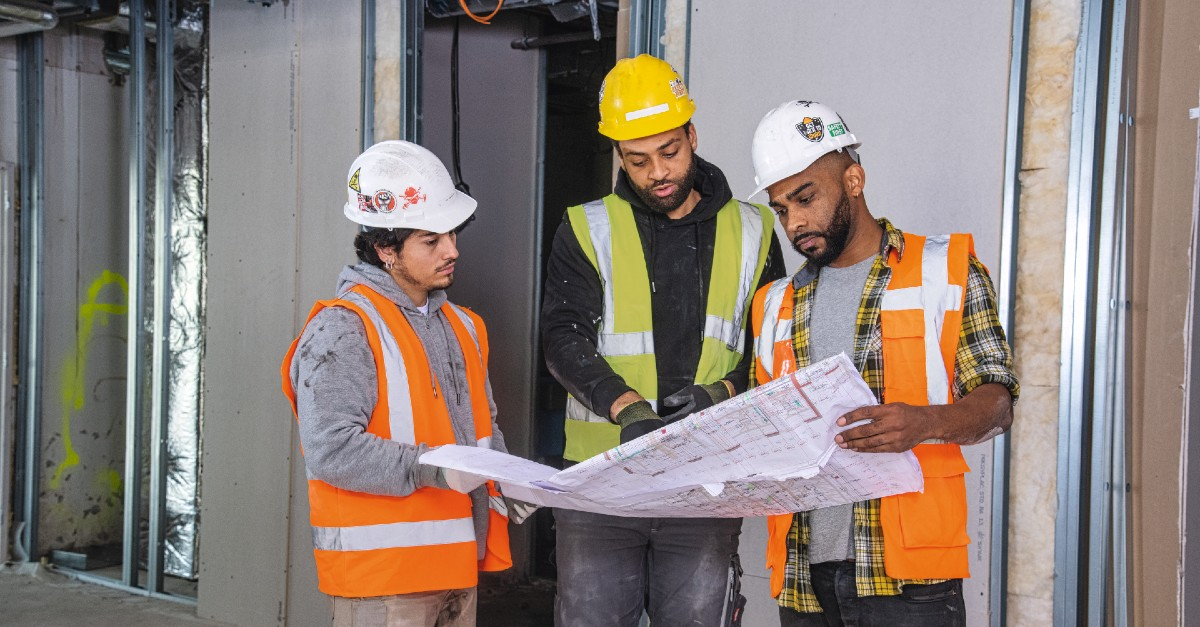
A new project manager opens her third active project this month and finds a completely different folder structure, different task categories, and a different daily log format than the two jobs she's already running. Without shared jobsite management software, every project invents its own system. One tracks punch items in a spreadsheet. Another relies on shared photo albums, text threads, or no clear system at all. She spends the rest of her day just figuring out how this site works before she can do any actual work.
Multiply that disorientation across 15 or 20 concurrent projects, each with rotating crews and different superintendents, and the coordination burden grows fast. Lost hours are only part of the cost. When every job runs on a different system, crews end up building off the wrong information, and the rework that follows can be costly. The inconsistent records left behind then make those problems harder to resolve once they surface.
So the fix is to stop letting each job define its own system. Standardization starts with the workflows every jobsite repeats: RFIs, submittals, punch lists, inspections, daily reports, and the documentation behind them.
What this article covers:
- Construction jobsite management software gives every recurring workflow a defined owner, status, and record.
- Ad-hoc processes break down at scale because each new project drifts into its own system and onboarding eats productive hours.
- Reusable templates, version-controlled plans, role-based permissions, and cross-project reporting let one proven setup carry across every job.
- Standardizing can recover time lost to chasing information, reduce rework from outdated plans, and produce audit trails that hold up in disputes.
- The right multi-jobsite tool is configurable, works offline in the field, sets up fast without IT, and prices transparently as you grow.
- Fieldwire applies these capabilities so teams can run one consistent way of working across a growing portfolio.
What is construction jobsite management software
Construction jobsite management software organizes the recurring processes that keep a jobsite moving: RFIs, submittals, punch lists, inspections, daily reports, and the documentation tied to each one. It gives every process a defined structure, a clear owner, a status, and a record.
How construction-specific software differs from general task management tools
A general-purpose task app is built for broad coordination, not for the way a jobsite actually runs. Software built for construction is shaped around the documents, trades, and sequencing the work depends on.
Off-the-shelf apps can feel workable early in a job, then strain once multiple trades, hundreds of plan sheets, and audit-trail requirements come into play.
Purpose-built software handles that complexity by anchoring work to the drawings. Each issue is pinned to a specific plan location and tracked against the live construction document, which a general task app isn't built to do.
The workflows it manages
The point of workflow software is that it manages these processes, not just records them. As an RFI is routed or a submittal moves through its approval chain, the software stamps each handoff with a time and a name, keeps everyone working from the current version, and links punch items and inspection results to the exact location on the drawing.
That makes the audit trail a byproduct of doing the work rather than a separate task you piece together afterward. When a question or dispute comes up later, and in construction the cost and schedule stakes are high, the record is already complete and specific enough to stand behind.
Why multiple jobsites outgrow ad-hoc workflows
Ad-hoc processes work when one superintendent holds everything in their head across one or two projects. They get harder to repeat once a company manages more projects, crews, and handoffs.
Process drift: every project reinvents its own system
Every new project becomes a blank slate when there's no standardized starting point. Mistakes multiply when schedules, RFIs, and updates live in different places, and with no single source of truth, teams rely on memory, old files, or guesswork to make decisions. Without defined roles and documented processes, scale amplifies inconsistency instead of building on prior work.
New teams and PMs lose days getting oriented to each job
When a foreman rotates between jobsites and finds a different way of tracking work at each one, they lose productive hours relearning how that particular site operates. Construction professionals can spend significant time on non-productive activities such as searching for project data, resolving conflicts, and dealing with rework. Some of that time can be recovered when processes are consistent from one jobsite to the next.
Inconsistent documentation complicates compliance and disputes
When every project invents its own documentation approach, the inconsistency creates more work for anyone who later has to verify what happened. That cost climbs when a dispute is on the line: workmanship deficiencies and poor management of subcontractors or suppliers can both contribute to construction disputes, and both are easier to address when records are complete and consistent. Standardized forms and procedures make that documentation easier to process and cut the questions tied to delays, mishandling, and gaps in the record.
Volume makes the gap worse. A contractor running several concurrent projects can generate a large portfolio-wide RFI count, and a consistent system for tracking each one helps teams see open items, owners, and next steps before any of them becomes harder to answer.
How construction workflow software standardizes processes across every project
Solving this at scale means the standardization itself can't add work. The same core setup has to move from one jobsite to the next without creating more admin, deploying to every job the same way while still leaving room for site-specific adjustments.

Reusable project templates that capture how your company works
A project template captures your company's standard setup: task categories, checklist templates, custom forms, folder structures, and role permissions. Set it up once, then apply it to every new project, so every job starts with the same baseline instead of starting from zero.
Consistency means your electricians document inspections the same way whether they're on the hospital job downtown or the data center across the state. Custom form templates (daily reports, inspection requests, time and materials tags, safety audits) are built once and applied everywhere, and every completed form is captured as a record teams can find later.
Fieldwire, a mobile-first jobsite management app built for field crews, offers project templates for exactly this. The feature lets teams transfer their proven setup to new jobs. In Fieldwire, custom forms let a team build its daily report, inspection, timesheet, and RFI forms once, then reuse that setup on every job. A new crew starts from the proven version instead of rebuilding it, so documentation stays consistent across projects. Checklist templates help teams standardize the same recurring checks across projects. An operations leader overseeing 20 active projects can confirm every one of them uses the same daily log format, punch list categories, and inspection checklists from day one.
Centralized plans and documents with version control
Automatic version control keeps every team member on the same source of truth, and sheet compare overlays revisions so field crews can see exactly what changed between versions. Integrations with cloud storage tools such as Dropbox, Box, Google Drive, SharePoint, and OneDrive support plan and file sync, so teams spend less time on manual re-uploads.
Fieldwire's plan management makes this work for field crews specifically. A foreman can open and view downloaded plans without connectivity, and when the connection restores, the app syncs offline work automatically. The result is that teams work from the latest plan set rather than unknowingly using outdated drawings.
Role-based permissions that match your organization
Permissions control who can create tasks and who can modify templates, and they can be configured on a per-template basis or scoped to a specific project. Admins, members, and followers each see what they need to see and nothing they don't. Fieldwire's granular task permissions let admins control which roles can create tasks within a project or template, which keeps standardized workflows from changing without approval.
Real-time collaboration between field and office
When a superintendent marks a punch item complete on the third floor, the PM sees it immediately from the trailer or the office. Task photos and comments create a live record as statuses change, and the same offline sync that supports plans also applies to tasks, so a basement update or a remote-site comment lands as soon as connectivity restores.
Cross-project reporting and analytics
An operations executive managing 15 concurrent projects needs a single view of status across all of them without opening each project individually. Fieldwire supports cross-project analytics through integrations like Power BI, Excel, and Google Sheets, helping teams analyze tasks and forms across projects so they can spot patterns and bottlenecks across the portfolio.
What standardization actually delivers: time, cost, and risk
Standardization can help teams spend less time chasing information, reduce rework tied to outdated documents, and keep records that hold up under scrutiny.
Hours saved on documentation and coordination
Standardized digital workflows can recover time that would otherwise be spent on reporting, coordination, and information retrieval. Field teams get more time back on the jobsite when work is organized in a consistent, repeatable system.
Rework reduction from working off current information
Quality issues, including errors, omissions, and rework, remain part of construction work, and field personnel need reliable access to information about what and where to build. Version-controlled plans, drawing-pinned tasks, and notifications when plans update help close that gap, so the rework that comes from outdated information becomes easier to reduce.
Faster onboarding for new projects and new team members
When every project uses the same template, a PM or foreman moving to a new job finds the same folder structure, task categories, and forms they already know. Standardizing operating procedures means employees have the tools they need to contribute quickly, regardless of project or role.
Cleaner audit trails for claims, disputes, and closeout
Every task, form submission, and plan revision in a standardized system carries automatic timestamps and attribution. That record makes it easier to resolve questions about who saw what, when it was documented, and how an issue moved from identification to resolution.
What to look for when evaluating workflow software for multi-jobsite use
Those gains only materialize if the tool can actually carry your processes across every job. Some construction jobsite management software handles portfolio-scale work better than others, and four criteria separate the tools that support multiple jobsites from the ones that create more admin work.
Configurability versus rigid templates
Your electrical crews need different checklist templates than your mechanical crews. Software that forces you into rigid, pre-built workflows creates friction for specialty trades, and that friction blocks adoption. Look for software where an office administrator can build custom forms, task categories, and inspection checklists without developer involvement or a paid services engagement.
Mobile and offline capability for field adoption
Field crews don't have much time for training, and resistance goes up fast when software feels harder than the current workaround. The software has to work the way field crews already work: on a phone or tablet, on a dusty jobsite, with intermittent connectivity. Put the app in airplane mode during the demo. Try completing a daily log, uploading a photo, and marking a task complete. If the tool doesn't work offline, it doesn't work in the field. Fieldwire works fully offline on iOS and Android, with automatic sync when connectivity restores.
Setup speed and IT requirements
A specialty contractor with one office manager and no IT department cannot absorb a heavy implementation burden. The right tool should get a field crew up and running quickly without dedicated technical support. Fieldwire is built for this quick setup path.
Transparent pricing as you add projects and users
Specialty contractors see significant headcount fluctuation across project cycles. Pricing that penalizes growth creates unpredictable costs during your busiest periods. Look for transparent, per-user pricing with a free tier for small teams to test the tool. Avoid vendors who decline to provide pricing without a sales call, or who tie cost to your annual construction volume.
See how Fieldwire standardizes workflows across every jobsite
A contractor running 10, 20, or 30 concurrent projects needs one repeatable way of working across all of them. The right jobsite management software turns your best processes into a system that every project inherits from day one.
Fieldwire gives field teams and office staff a shared, real-time view of plans, tasks, and documentation, so everyone's working from the same page, whether they're on the third floor or in the trailer. Project templates, custom forms, plan management, and cross-project reporting give operations leaders greater consistency and visibility as they scale. And with transparent pricing, strong offline functionality, and an interface that field crews pick up quickly, teams are more likely to use the system consistently.
Frequently asked questions about jobsite management software
It standardizes recurring jobsite processes like RFIs, submittals, punch lists, inspections, daily reports, and task tracking so each workflow has a clear owner, status, and record.
Because each project starts inventing its own process. As crews, PMs, and superintendents move between jobs, they lose time relearning systems, and inconsistent documentation creates more work for everyone trying to verify what happened.
Project templates, version-controlled plans, role-based permissions, offline mobile access, and cross-project reporting matter most because they let teams repeat the same baseline process across every job.
Fieldwire gives teams reusable templates, custom forms, centralized plans, offline field access, and cross-project visibility so operations leaders can roll out the same working system across their portfolio.
Look for configurability, strong mobile and offline performance, quick setup without heavy IT requirements, and transparent pricing that still works when your project count and headcount change.


