
How construction quality management software helps trade contractors catch defects before handover

A fire protection foreman finishes a firestopping installation on the fourth floor, snaps three photos, and checks off the last item on his inspection list. Tomorrow morning, drywall closes that wall up for good, and after that, proving the work was done right means reopening it. Catching and documenting that work before the wall closes is exactly what construction quality management software is built to do, so the correctly installed work stays on record and questions at handover get a clear answer.
That timing is what protects the margin. A defect caught during active construction is cheaper to correct than the same issue found after the project is closed out. Factor in crew disruption and management overhead, and capturing problems early becomes a practical way to keep closeout predictable. For a trade contractor working on tight margins, that record is what keeps completed work, open items, and sign-offs straight.
Quality management software helps trade contractors move inspections, photo records, and sign-offs into a system they can search and export later. It also helps shift defect discovery from final walkthroughs to active construction, supports platform evaluation by trade, and builds audit-ready documentation as work happens.
What this article covers:
- A dedicated quality platform turns scattered paper, photos, and spreadsheets into one searchable proof-of-work record.
- Defects found later cost far more through rework, crew disruption, and delayed retention release.
- Owning your own QA system beats logging quality data into fragmented, GC-controlled platforms you can't export from.
- Field-ready features like offline inspections, plan pinning, and two-step sign-off are what make a platform usable on-site.
- Records captured as work happens make audits, closeout, future bids, and disputes far easier to handle later.
- A few trial questions and red flags quickly separate field-first tools from office-first software.
- Fieldwire lets trade contractors run field documentation without falling back on camera rolls and paper checklists.
What is construction quality management software
Construction quality management software digitizes the inspection, documentation, and verification workflows that prove work was done correctly. Instead of paper checklists, camera rolls, and Excel spreadsheets scattered across devices and trucks, a quality platform creates a single, timestamped, location-anchored record of every inspection, defect, and sign-off on a project.
Core capabilities every quality platform shares
Most quality platforms share the same baseline of inspection, documentation, and reporting tools, so the feature list alone rarely tells two products apart. The real differences show up in who the platform was designed for, how it holds up in field conditions, and whether a trade contractor can own the data across multiple GC relationships.
Those are the questions that decide whether a platform fits your crews, and the feature-by-feature breakdown later in this guide is where they get answered.
How it differs from general construction management software
The clearest of those differences is what the software is built to track. Many office-first construction management systems center on contracts, budgets, RFIs, and submittals. Quality management software centers on what actually got built, whether it meets spec, and whether you can prove it. The distinction matters for trade contractors because many project systems they use are GC-controlled environments.
You log in to the GC's system, fill out their forms, and your quality data lives in their project. When you move to the next GC, you start over with nothing. Quality software that a trade contractor owns independently solves a different problem: building an institutional quality record that follows your company across every project and every GC.
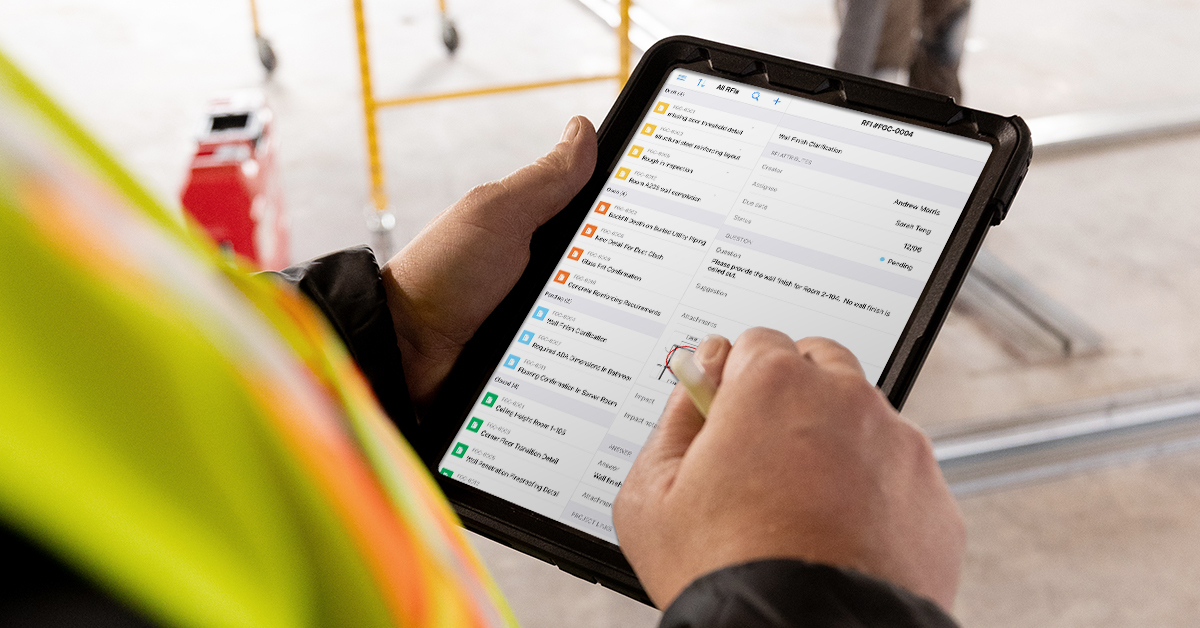
That record is only as complete as what your foremen actually fill out. A quality platform with sophisticated features means nothing if the crew skips the inspection form at the end of a long day or takes photos that never get attached to a task. Field-first software like Fieldwire is built for the way crews actually work: a foreman can log an inspection, attach a timestamped photo, and mark a location on the plan in a few taps, whether they have a signal or not. When documentation is that fast and that frictionless, it gets done in the field while the work is still visible, not reconstructed at a desk hours later.
The defect timeline: why catching issues early protects trade contractor margins
That record proves the work was done right, but its financial value shows up in timing. Every defect has a discovery point, and that point shapes what it costs you. The further along a project gets before a problem surfaces, the more work it usually takes to resolve and the more likely the trade contractor needs to spend time clarifying scope and responsibility.
The true cost of a defect found at handover vs. in-process
Direct rework, schedule delay, management overhead, and crew disruption all contribute to the total cost of a defect, and the timing of discovery influences how heavily each one weighs.
Three costs usually stack together:
- Direct rework: labor and material to fix the original problem
- Indirect disruption: schedule delay, crew interruption, and management time
- Retention timing: retention held back while defects remain unresolved
On a large subcontract, even a small batch of execution errors can turn into a meaningful rework exposure. Discover those same issues after the owner takes possession, and the combined cost impact can escalate quickly. Analysis of actual contractor rework data found that corrections after completion can roughly double the total cost of rework as a share of contract value, since post-completion fixes tend to run about as high again as everything corrected before handover.
Then there's retention. Typical retention structures withhold a percentage of each progress payment, with part released at substantial completion and the balance released at final completion once the punch list is closed. Outstanding defects can delay that final release and keep unresolved quality issues open on the books. That burden cascades down the supply chain and concentrates at the bottom, on trade contractors.
Common quality issues assigned to trade contractors
Punch lists push deficiencies down to trades, even when the root cause is harder to isolate.
Common examples include:
- Fire protection contractors getting tagged for sprinkler heads obstructed by ducts or light fixtures installed by other trades after the rough-in was complete
- Electrical contractors being asked to address firestopping failures at penetrations that involve multiple trades
- Mechanical contractors being asked to explain HVAC controls that don't perform to spec, even when the root cause is a building automation system programming defect
- Plumbing contractors carrying deficiency findings on owner-furnished fixtures that malfunction after connection
The common thread across all these scenarios is a documentation gap. Without timestamped photos, completed inspection checklists, and as-builts proving what was correctly installed before another trade modified conditions, the trade contractor has a weaker record for resolving the issue. Quality management software closes that gap by creating a record before the wall closes, before the ceiling goes up, and before someone else's work changes the conditions your crew left behind.
Why trade contractors need to own their quality software
That record only protects you if you own it, and many quality tools on the market don't give specialty contractors that ownership. They're built as GC-run platforms for managing subcontractor networks, where the sub takes part but never holds the keys. So once a job wraps, your quality history is stuck inside the general contractor's system, and you walk away without it.C
Owning your QA record across every GC platform
Across active jobs, trade contractors often end up working in multiple GC platforms with different checklist formats, submission workflows, and software requirements. A mechanical contractor working across four GCs simultaneously logs into four different systems, none of which they control or can export from.
Institutional knowledge about their own quality performance stays fragmented across GC-owned databases. A quality platform that the trade contractor owns independently gives them a single QA record across every project, every GC, and every contract requirement.
Standardizing inspections across crews, jobsites, and contract requirements
That ownership only matters if your internal process is consistent. When your company runs 10 active jobsites with different foremen, each one applying their own version of a quality check, consistency disappears. A quality platform with reusable inspection templates helps the QA manager define a repeatable checklist process for every crew on every jobsite. The foreman in the field fills it out, and the QA manager reviews results across all projects from one place.
Mobile-first, offline workflows that field crews will actually use
A standard process holds up only if crews actually fill it out, and that depends on the app working where they work. If the app doesn't work in the basement where your crew is roughing in ductwork, it doesn't matter what features it has. Trade contractor quality documentation happens in stairwells, mechanical rooms, and above-ceiling spaces where connectivity is unreliable at best. An app that requires constant internet access for inspections is an app your crews won't use. They'll go back to paper, and you'll be right where you started.
Core features to look for in construction quality management software
A useful quality platform for trade contractors brings documentation, verification, and reporting into a single workflow that holds up in the field. The features below show what to evaluate when deciding whether a platform fits how your crews actually work on-site.
Digital inspection checklists and custom forms
Reusable digital checklists are the backbone of any quality platform because they turn one-off paper inspections into a repeatable process every crew can follow. Look for a platform that lets you create reusable checklist templates based on manufacturer specifications, internal processes, or GC-specific requirements. Templates should be persistent, so the same electrical rough-in checklist works on every project without rebuilding it. Custom forms cover structured documents beyond simple to-do lists, like daily inspection reports or pre-cover verification records.
Inspection and test plans (ITPs) with hold points
ITPs sequence quality verifications across an activity through hold points, witness points, and surveillance points. Not every field platform offers ITPs as a native feature, so the practical question is whether a platform's existing tools can reproduce the same control.
Fieldwire, for example, has no dedicated ITP module, but trade contractors can approximate one by combining reusable checklist templates with tasks pinned to plans and two-step verification for sign-off. That setup creates a hold-point-style review step: one user marks the item complete, and an authorized reviewer verifies it. The executing trade and the verifying authority stay separated.
Defect and non-conformance tracking with photo evidence
Every defect or non-conformance needs a timestamped photo tied to a specific location on the drawings, not buried in a camera roll. Field teams use plan-based issue tracking to log non-conformance issues in real time, and the audit trail connects each issue to its location, photos, and resolution status.
Two-step verification and sign-off workflows
A single-approval system lets anyone mark a defect as "done." A two-step system requires one person to mark it complete and a second person with the authority to verify it. This separation of roles mirrors the real-world relationship between the trade contractor doing the work and the superintendent or inspector confirming it.
Plan-based location pinning for spatial accuracy
Dropping a task pin directly onto a drawing sheet tells everyone exactly where the defect, inspection, or punch item lives. Color-coded pins visible to anyone with project access replace the verbal descriptions and handwritten notes that get misinterpreted between crews and shifts.
Reporting and dashboards for repeat-defect analysis
Generating reports directly from inspection and punch list data reduces the hours spent compiling closeout packages manually. Over time, reports across multiple projects can reveal patterns in recurring defect types, cleaner installs, and places where the quality process needs adjustment.
Record-keeping benefits that compound across projects
The value of a quality record doesn't end at handover. The documentation a trade contractor builds during a project supports audits, closeout, and future work in ways scattered files and end-of-job scrambles can't match.
Audit-ready documentation for ISO 9001, GC reviews, and warranty claims
Audit and defect reviews typically rely on documented non-conformance records, corrective actions, inspection history, project correspondence, and dated photographic evidence. When every inspection, defect, and sign-off lives in a single digital system with timestamped metadata, producing these records can be much faster and less labor-intensive than with traditional methods.
Running all quality workflows through one system shifts QA reporting from end-of-project admin work to same-day completion in the field. That gives managers visibility while work is still in progress, makes it easier to correct problems before crews leave the job, and reduces the time spent assembling documentation later.
Closeout packages assembled as work happens
By the time a project reaches closeout, your crews have already demobilized and moved on to the next job. Tracking down as-builts, inspection records, and material test certificates months after the work was done is expensive and often impossible. When your quality platform collects these documents as each phase completes, final closeout becomes an assembly task built from records collected throughout the job.
Historical data that strengthens future bids and dispute resolution
A library of completed ITPs and inspection records from past projects becomes useful institutional history. That history can strengthen future bid submissions and performance discussions, since you can show documented results instead of asserting them. The same records matter even more in disputes: centralized data positions your company far better than reconstructing records after a claim arises, because every entry can be traced to its origin, modification history, and responsible party.
How to evaluate construction quality management software for your trade
Those record-keeping benefits only show up if the platform you choose actually fits how your crews work, so evaluation matters as much as the decision to adopt one. A trial period only helps if you know what to look for going in. The questions and red flags below help you separate platforms built for trade contractor field conditions from those built for office workflows.
Questions to ask before you trial a platform
A short list of practical questions surfaces whether a platform fits trade contractor field conditions before you commit time to a trial:
- Does your company own the data, or does it live inside a GC-controlled environment?
- Can you export complete project records when a project ends?
- Does the app work offline for inspections in basements, shafts, and areas without cell service?
- Can you build and reuse checklist templates across projects without rebuilding them?
- Does the platform support photo metadata (timestamp, GPS) automatically?
- Can you set up the platform without dedicated IT support?
The answers will tell you quickly whether the platform fits field conditions or just looks good in a demo.
Red flags that signal office-first software
If the demo runs exclusively on a desktop browser, the field experience may be an afterthought. If setup requires weeks of configuration or an IT team to administer, adoption gets harder for working foremen and field crews. If pricing bundles quality features inside a package that includes estimating, bidding, and accounting modules your trade doesn't need, you're paying for complexity that slows your crews down. The right platform feels like an extension of your field workflow rather than another system your crews have to work around. When that's the case, adoption follows naturally and crews pick it up without formal training.
See how trade contractors run quality in Fieldwire
Catching defects before handover protects margins by giving teams usable documentation while work is still active. Every documented inspection, every timestamped photo pinned to a drawing, and every verified sign-off shifts the cost curve in your favor and gives you evidence when site conditions change after your crew leaves.
Fieldwire gives field teams and office staff a shared, real-time view of plans, tasks, and documentation, so everyone's working from the same page, whether they're on the third floor or in the trailer. As a mobile-first jobsite management platform, it helps trade contractors run field documentation without falling back on camera rolls, paper checklists, and scattered spreadsheets. If your trade is still compiling quality records from those tools, the customer reviews show how other contractors handle the same work without the end-of-job scramble.
Frequently asked questions about construction quality management software
It digitizes inspections, photo documentation, defect tracking, and sign-off workflows so trade contractors can prove what was installed, where it was installed, and when it was verified.
The later a defect is found, the more expensive it becomes to correct. Costs can expand from direct rework into schedule delay, crew disruption, management overhead, and retention risk.
Timestamped photos, completed inspection checklists, and as-builts create a record of what your crew installed before conditions changed. That record helps defend against blame for issues caused later by other trades or changing site conditions.
Look for reusable checklists, plan-based location pinning, photo documentation tied to tasks, two-step verification, reporting, exportable records, and offline mobile workflows that crews will actually use.
Fieldwire is a mobile-first, field-first jobsite management app that supports plan-based tasks, verification workflows, reporting, and information sharing between field teams and office staff.


