
How to manage construction work orders without the paper trail
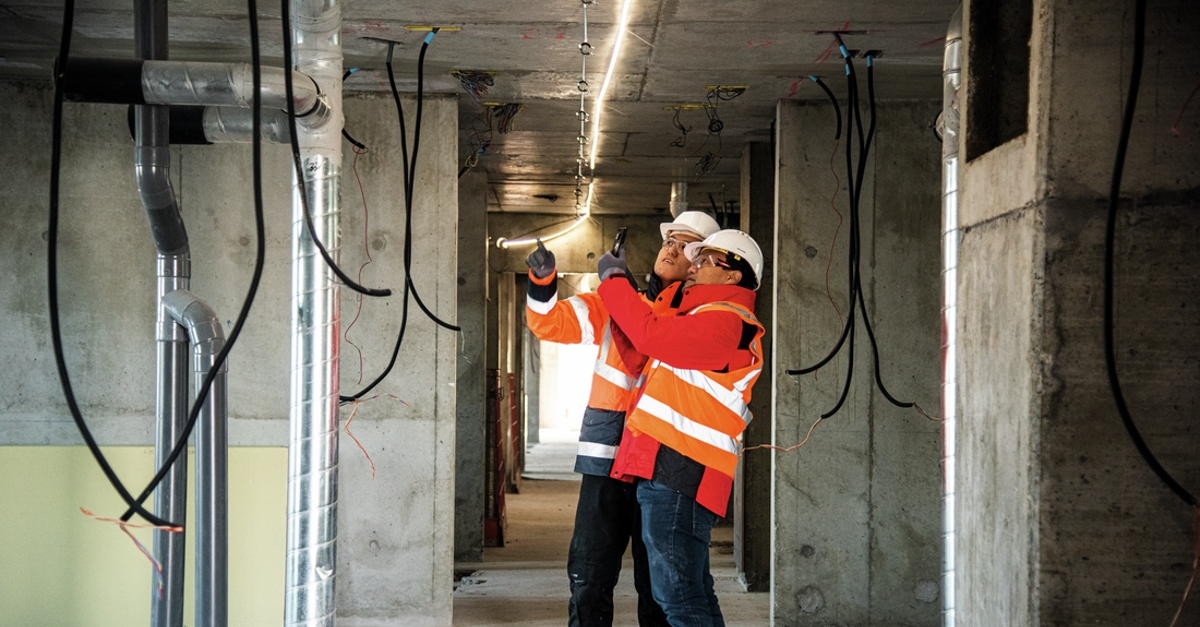
Your foreman flags a punch list item in a group text Thursday afternoon. By Monday it's buried under twenty other messages. Nobody formally assigned it, nobody tracked it, and the issue gets caught again two weeks later, after the wall has been closed in. Construction work order software exists to prevent exactly this scenario: tasks that never get assigned to the right person, never get documented, and never get closed out.
The cost of these communication gaps adds up. Poor communication and inaccurate project information are major drivers of construction rework, which can eat up a significant share of total project cost on many commercial jobs. This guide breaks down how work order software and drawing management tools work together, what features matter on the jobsite, and how to pick the right tool for your crew.
What this article covers:
- How digital work orders connect crews, assignments, and current drawings in one field-ready workflow.
- Why outdated drawings and poor information flow create expensive rework and coordination delays.
- Which field-first features reduce version confusion, clarification calls, and preventable rework.
- How software categories differ across jobsite coordination, document control, and enterprise workflows.
- Where digital tools save money through less rework, less paperwork, and faster execution.
- What to ask before buying software your crews may not actually use.
- How common concerns like offline access, drawing updates, and small-team fit are handled.
What is construction work order software?
Construction work order software tracks jobs from creation through completion, keeping field crews and the office coordinated through a shared digital system instead of scattered calls, texts, and slips of paper.
The full cycle follows a predictable sequence: a work request comes in, someone reviews and approves it, a formal work order gets created and assigned to a crew, the crew performs the work, and the completed job gets documented and archived. Drawing management software works alongside this process by organizing, versioning, and distributing project drawings so every crew member opens the correct, current sheet on their phone or tablet.
When these two systems connect, a work order doesn't just tell a crew what to do. It links directly to the right drawing, at the right revision, pinned to the right location on the plan. No guessing, no phone calls back to the office asking which sheet to build from.
Why drawing management matters on the jobsite
Work orders only help when crews can trust the drawings attached to them. This is where drawing management shifts from a convenience to a core jobsite control.
The most common failure modes look like:
- Version drift between the office's current set and the field's last printed copy
- Delayed distribution after revisions are issued
- Disconnected communication between field and office about plan changes
Each of these compounds into avoidable rework. The sections below break down where the cost shows up.
Outdated drawings drive costly rework
Drawing version control problems contribute to costly rework across the construction industry. The moment a revision is issued, the printed set in the field can diverge from the current approved set. Someone has to physically reprint, deliver, and swap sheets. Until that happens, crews are building from the wrong documents. One industry study found that average rework runs 7 to 11 percent of total construction cost, and poor communication and inaccurate project information are among its leading causes.
The field-office disconnect drives coordination failures
When drawings are distributed across email threads and printed sets in the trailer, crews often end up working from wrong versions. The office has today's revisions; the field has yesterday's drawings. Neither side can see the other's real-time status without a phone call or a walk to the trailer. Coordination failures from this disconnect can create delays, rework, and margin pressure on construction projects.
Digital drawing management closes this gap by giving teams one current set to work from, with revisions and annotations available across devices.
Key features that keep field crews on the right plans
Not every feature matters equally in the field. The ones below most directly reduce version confusion, clarification calls, and preventable rework.
Automatic drawing version control
When a design revision is issued, the system should automatically retire the previous sheet and push the current version to every connected device. The best tools also carry markups and annotations from the previous revision forward so field notes aren't lost. Any gap in this automation is a rework risk.
Plan markup and annotation pinned to specific locations
When a crew finds a conflict or a missing dimension, a markup pinned to the exact location on the sheet reaches the right person with full spatial context.
Offline mode that syncs when reconnected
Jobsites don't always have reliable connectivity. If the app stops working without a signal, field crews either halt work or revert to printouts that may not be current. The software should pre-download the drawing set to the device and allow markups, photos, and task updates offline, with everything syncing back once connectivity returns.
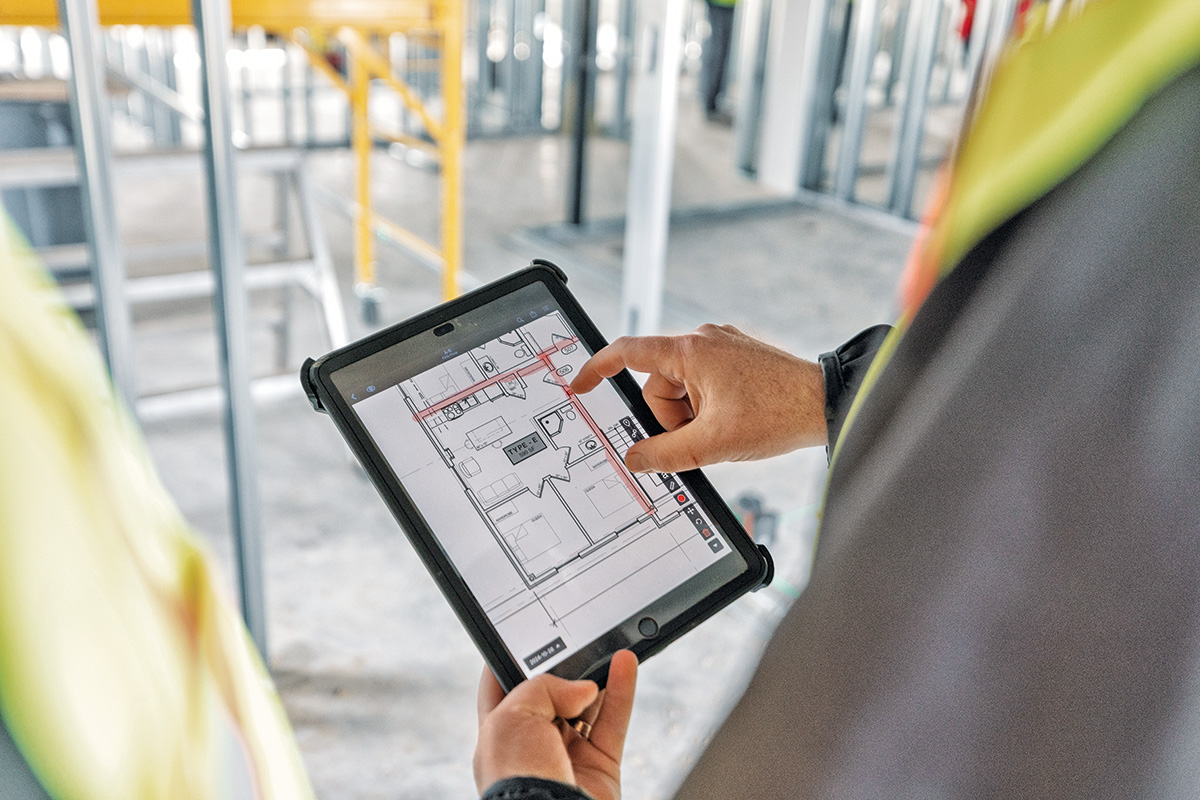
Tasks and work orders linked to drawing locations
Work orders that reference a vague description ("fix the electrical issue near column C") require interpretation and often send a crew to the wrong spot. Tasks linked to a specific pin on the drawing let the crew tap the location, see the context, and get to work with fewer clarification calls. Fieldwire handles this by letting you drop a task directly on a plan with notes, photos, and videos attached. Every task carries an assignee, due date, priority level, and status, so nothing falls through the cracks once it's placed.
Mobile-first interface for field conditions
An app that requires too many taps to find a drawing or log a photo will be abandoned by field crews in favor of text messages and phone calls. The interface needs to be simple enough for fast field use.
This is deliberate: Fieldwire's founders came from the gaming industry, and built the platform on the idea that field software should be as intuitive as the apps people already use, not something that requires training. Over 70% of Fieldwire's features are shaped directly by customer feedback, and the platform is also built for full offline use, so field crews on low-connectivity jobsites can still pull up plans and log work without losing anything.
Punch list and issue tracking with photo documentation
Paper punch lists can be lost or disputed, and they can be harder to close out cleanly. Digital punch lists with photos attached to specific drawing locations can create a verifiable closure record that protects everyone involved.
Types of construction work order and drawing management software
Software in this space falls into a few distinct categories.
- Field execution and jobsite coordination tools: mobile-first, built for foremen and crews
- Cloud-based drawing and document management platforms: plan rooms and distribution layers for current documents
- Integrated jobsite coordination platforms: drawings, RFIs, submittals, change orders, and budget controls in one coordination suite
- Trade contractor and work order tools: built for contractors managing project and service work
- Construction ERP systems with drawing integration: financials, payroll, and document control alongside enterprise planning workflows
Most contractors don't need all five. The right category depends on whether the work is primarily field execution, broader jobsite coordination, or full back-office integration.
Benefits of going digital with work orders and drawings
The biggest return usually comes from avoiding preventable rework. Industry research has estimated rework at several percent of total project cost on commercial jobs. On a $10 million project, even a small percentage represents hundreds of thousands of dollars in waste.
Beyond rework, teams using digital tools commonly report:
- Less printing and paper distribution overhead
- Less paperwork to chase down at closeout
- Faster task follow-up between field and office
Fieldwire users have reported an hour saved daily on the jobsite.
How to choose the right software for your team
Start by identifying the one or two functions your crew genuinely needs today, then find the tool that handles those functions simply.
Questions to ask before signing anything:
- Can teams access drawings and tasks without a signal?
- How long does setup actually take for similar-sized contractors?
- Does the mobile app work well for field conditions, or is it a desktop tool with a mobile afterthought?
- What does the price look like when you add all your field crew members?
- Does the free trial reflect what your superintendent would actually use day-to-day?
Red flags to watch for:
- Affordable-looking entry pricing that charges extra for basic features once you're in
- Systems built around desktop and back-office workflows where the mobile app takes too many taps for simple jobs
- Software built for owners or designers, not field contractors
- Vague answers about offline behavior or drawing version control
Test a free tier, get your superintendent's honest reaction, and decide from there.
See it on your next project
Fieldwire gives field teams and office staff a shared, real-time view of plans, tasks, and documentation, so everyone's working from the same page, whether they're on the third floor or in the trailer. Try the free plan and see how your team responds.
Frequently asked questions about construction work order software
The best drawing management tools mark superseded sheets and surface the current set so field users always work from the active drawing.
Work order software manages internal task assignments. Change order management tracks out-of-scope work and its cost and schedule impact for billing to the GC or owner.
Many field-first tools, including Fieldwire, are designed to work without a constant signal by letting users pre-download drawings to the device. Markups and task updates made offline typically sync once connectivity returns.
Not if the tool is right-sized. Fieldwire offers a free plan built for smaller teams. It can replace much of the paper, texting, and phone-tag that often leads to rework.


