
Digital plan management: How field teams stay on the right version
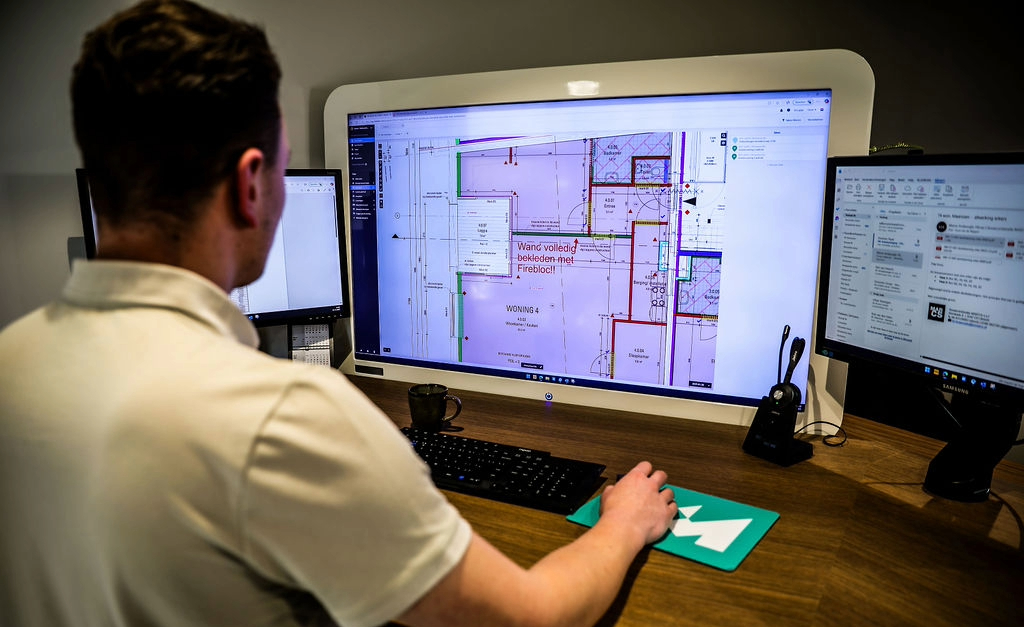
The drywall crew is two-thirds through framing a partition wall when the superintendent walks by and realizes the layout doesn't match the architect's set from yesterday. Digital plan management exists to prevent exactly that moment. The crew had been working off a sheet superseded by Revision 3, but nobody pushed the update to the field. Now they stop and spend the afternoon correcting work that could have been avoided.
A good plan management system closes that version gap by keeping the approved drawing set current, pushing revisions to the field, and giving crews a clear way to see what changed. The difference shows up in document control, field access, version history, and the workflows that keep crews building from the current set.
What this article covers:
- Digital plan management is the system that keeps every jobsite worker on the current, approved drawing set — not last week's version.
- Missed revisions compound into rework. Closing the distribution gap is the most direct way to protect margin.
- A solid system needs six things: centralized storage, automatic version control, offline mobile access, real-time markup, role-based permissions, and cloud storage sync.
- Better plan control means fewer versioning errors, faster field decisions, and a traceable project record.
- ROI is measurable: track time saved, rework avoided, and closeout speed against per-user cost.
- When evaluating platforms, the criteria that matter most are Sheet Compare, offline access, field adoption, and transparent pricing.
What is digital plan management in construction?
Digital plan management is the system that keeps every person on a jobsite working from the current, approved version of every drawing. It gives teams one source of truth for organizing, storing, updating, and distributing project drawings, with clear revision identifiers so outdated versions get archived instead of getting confused with the active set.
For field teams, it helps to separate two practical ideas. Document management is the broad category: storing, organizing, and sharing files. Document control is the stricter discipline around versioning, approvals, and audit trails so the latest revision is always the source of truth. For field teams, control is the part that matters. You need the right plans in the right hands.
That problem gets harder as projects scale. Revisions can arrive across multiple disciplines, and a working system identifies which revision is current for every sheet, archives the old ones, notifies the team when a new revision lands, and lets you compare versions side by side. The roles differ too: a GC keeps dozens of subs on one current set, while a trade contractor's priority is the field: instant access to current drawings, fast markup, and the ability to answer an RFI from the site.
Why current plans matter on the jobsite
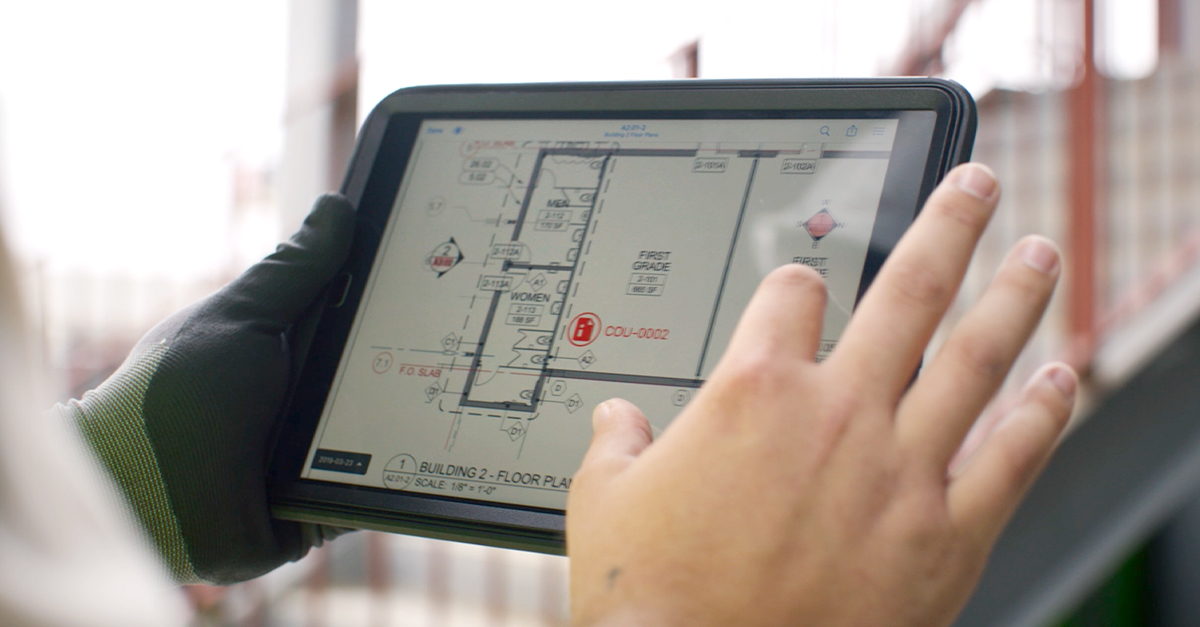
When crews have the current sheet before they start, the team avoids corrections that otherwise compound before anyone notices. The field sequence usually looks mundane: a revised drawing goes out by email, doesn't reach the whole crew, and work continues from the old sheet until someone catches the conflict in place.
Poor project data and communication drive a large share of construction rework, especially when updates fail to reach the field. Outdated drawings and delayed distribution are two of the most direct paths to that outcome, and both are easier to catch early than to fix after the fact. Monitoring field rework risk as an early warning signal helps teams catch cost growth before it compounds.
The effect extends past the rework invoice. Outdated documentation can make scope discussions and closeout harder when the project record is incomplete. Systematic document control helps reduce preventable rework and makes the record easier to defend. Ensuring field teams are working off the correct version protects margin.
Core components of a digital plan management system
A digital plan management system has to do six things well to keep crews on the right version: centralize storage as one source of truth, control versions automatically, push the latest set to the field, work offline, capture issues on the drawing, and lock down who sees what. Each component closes a specific version-control gap.
Centralized storage and a single source of truth
A single source of truth gives the team one place to confirm the active revision, eliminating guesswork.Without it, scattered versions across emails and spreadsheets make it much harder to guarantee the field is on the latest instructions.
Fieldwire is a mobile-first, field-first jobsite management tool built for the people doing the actual work in the field. It helps general contractors, trade, and specialty contractors manage plans, tasks, quality control, and documentation from any device. Those records stay in one source of truth. When the architect issues a revision, your crews aren't hunting through email threads. They open the app and the current set is already there.
Two behaviors make that source of truth useful in the field rather than just in theory. First, Fieldwire scans uploaded plans and automatically identifies cross-sheet references — the bubble callouts that point from one sheet to another — so tapping a sheet reference navigates directly to that drawing instead of making a crew flip through a full plan set.
Second, every task, issue, punch item, and RFI can be pinned to a specific location on the plan. A superintendent walking a floor pulls up that sheet and sees every open item in that area at a glance. The plans aren't just a viewing tool; they're the spatial layer everything else connects to.
Automatic version control
Automatic version control updates document revisions, stores past versions, and records who interacted with what so teams always work from the most current file. The latest approved drawing is clearly identified, superseded documents stay accessible for reference, and revisions are tracked without anyone renaming files or manually moving folders.
Fieldwire handles this automatically. Upload a new plan and version control kicks in immediately. Sheet Compare (available on Pro and above) overlays two revisions directly on the plan so a foreman can see exactly what changed before a crew starts work: which elements were added, which were removed, where the design shifted. On a commercial project that sees 20 to 50 plan revisions over its life, the difference between catching a change and missing it is one overlay.
Mobile access and offline capability
Field crews need the latest plans on their phone or tablet, and the tool has to work without a signal. In the field, that matters because crews often need drawings in concrete structures, underground work, and remote sites. Jobsite connectivity is often unreliable, so the app needs to function without a cell signal and sync up the second it reconnects.
Fieldwire works fully offline on iOS and Android. Crews access documents, complete inspections, and take photos as if they were connected, then everything syncs automatically when the device reconnects to WiFi or cell service. . One contractor's CEO put the value plainly: documentation in Fieldwire prevented an $82,000 loss on a single prefab project issue. Capturing that documentation should work wherever crews are working, including places where the signal drops.
Real-time markup and issue tracking
Markups that live on the drawing keep field problems from getting lost in a text thread. When a foreman spots a condition that doesn't match the drawing, the wrong workflow turns that issue into a chain of verbal handoffs. In Fieldwire's mobile workflow, the foreman captures the issue at the plan location, adds the field context, and alerts the right people right away.
Color-coded pins show task status directly on the drawing, so a superintendent can scan assigned, in-progress, and verified work without opening every item. Filter by trade and every out-of-scope task grays out, leaving only that trade's work visible on the plan. That filtered view is what a drywall foreman sees; it's different from what the mechanical foreman sees on the same sheet. When an issue needs a formal response, the task converts directly into an RFI without re-entering data, keeping the location on the plan intact.
Role-based permissions and access control
Role-based permissions help crews see the drawings relevant to their scope and reduce the chance that someone works from the wrong set. In practice, permissions separate who can view, mark up, approve, upload, or distribute information, with role levels (admin, member, follower) controlling what each person can do on a given project. That way the right information reaches the right people. Fieldwire lists role-based access as a named feature: tailor visibility by role and share the right information with the right people.
Permissions also feed the audit trail. When access, markups, approvals, and timestamps are tied to user roles, the project team has a traceable project record to review if a dispute lands on the table months later.
Integration with cloud storage and project systems
Cloud storage sync keeps your plans connected to the systems your office already runs, instead of stranding them in a separate silo. If your office already uses SharePoint, Google Drive, Box, or Dropbox, good integrations can reduce duplicate entry and make project files easier to reconcile.
Fieldwire offers two-way sync with Box, Dropbox, and OneDrive: a new plan sheet dropped into your cloud storage folder pushes automatically into Fieldwire, and uploads to Fieldwire pull back to storage. SharePoint and Google Drive sync one way into Fieldwire, so files flow in without manual handoffs. Field crews get the latest set without anyone forwarding a PDF, and your office keeps its existing file structure.
Benefits of digital plan management for construction teams
Digital plan management reduces field errors and rework, while giving teams a clearer record for decisions in the field. These gains help teams keep work aligned with the current plan and protect margin.
Fewer errors and lower rework costs
Crews stop building off superseded sheets, which lowers rework costs. When the current revision pushes to every device automatically, the communication gap that produces versioning rework closes. Many contractors who make the switch describe the same before-and-after: foremen used to drive around with a plastic tub full of plans, and corrections followed when the office updated a sheet nobody in the field knew about. Now the current set lives on the device.
Because rework often traces back to poor project information and communication, keeping crews on the current set removes a big chunk of the most preventable mistakes. Strong document control helps those savings flow straight to the bottom line.
Faster decision-making in the field
When the issue, the photo, and the plan location all live in one place, decisions happen in minutes instead of days. The foreman pins the task to the drawing, the right person gets a push notification, and the answer comes back tied to the exact location on the plan. No description of "third floor, east side, near the elevator shaft." The location is already there. That speed keeps the crew moving instead of waiting for a verbal answer that may arrive after lunch or not at all.
Stronger accountability and audit trail
Every plan action, every markup, and every status change creates a record you can trace. Photos taken in Fieldwire on Pro plans and above are stamped with date, time, and GPS location automatically — no manual entry, no after-the-fact reconstruction. When a team needs to show when a condition was documented and where on the site, that metadata is already attached. When the GC asks who saw which revision and when, the audit trail answers. At Bear Construction, real-time update notifications and clear timestamps ensure accountability as teams digitize workflows while working on thousands of interior projects.
How to measure ROI from digital plan management
Measure ROI by comparing time saved and rework avoided against per-user cost. Closeout speed can be tracked separately.
Fuse Consulting Engineers regained 10 hours per week after replacing a reporting process that consumed 70% of their office time, and TOTE Services saves eight hours per inspector each week and cut manual work by 75%.
Next, track the rework that was avoided. Compare rework incidents before and after, especially incidents tied to superseded drawings and delayed distribution of updates. Every avoided rework order is labor and material you keep.
Closeout speed and hard savings matter too. Track punch items completed digitally and printing costs reduced, then weigh those savings against per-user cost. With Fieldwire's transparent pricing, the math is easy to run.

What to look for in a digital plan management platform
When you evaluate a digital plan management tool, judge it against the criteria that decide whether crews actually stay on the right version. Get these right and the shortlist gets short fast.
-
Automatic version control with audit trail. Require automatic versioning with clear change history and timestamps. Without it, you're back to renaming files by hand.
-
Sheet compare. The tool should overlay two revisions and highlight what changed: additions, deletions, modifications. This is your defense against missing a change that wasn't clouded.
-
Offline access. Jobsite connectivity is often unreliable. The app has to let crews view plans, mark up, and log issues without a signal, then sync automatically. Test it in a basement, not a conference room.
-
Cloud sync with named integrations. Look for sync to the storage your office already uses. Fieldwire offers two-way sync with Box, Dropbox, and OneDrive, and one-way sync with SharePoint and Google Drive.
-
Role-based permissions and security. Require permission levels by role plus an audit trail. Permissions keep crews on approved sets and feed the record you'll need for any dispute.
-
Field adoption and ease of use. This is the one that makes or breaks the rest. If the tool works in the office but frustrates the foreman, he goes back to paper. Field teams adopt Fieldwire without training, and over 70% of features are built on direct customer feedback, which is exactly why it sticks.
-
Transparent pricing. Ask whether the model charges per user, per project, or per document, since fees can compound as teams and jobs scale. Fieldwire publishes its tiers: a free plan for small teams, then Pro at $39/user/month, Business at $64, and Business Plus at $89. Sheet compare starts at Pro; cloud storage integrations come in at Business.
No single criterion disqualifies a tool by itself. But if a platform fails on offline access or field adoption, the rest of the list doesn't matter. Crews who can't use the tool won't use the tool.
The right version, every time: How plan control protects your project
Keeping crews on the right version helps them avoid preventable corrections and gives the GC a cleaner project record. A digital plan management system that centralizes plans, controls versions automatically, works offline, and pushes updates to every device closes the gap that turns one missed revision into a rework order.
Fieldwire gives field teams and office staff a shared, real-time view of plans, tasks, and documentation, so everyone's working from the same page whether they're on the third floor or in the trailer. That's how you keep projects on schedule without constant firefighting and prove the tool's value to ownership.
Frequently asked questions about digital plan management
Document management covers the broad practice of storing, organizing, and sharing project files. Document control is the stricter discipline within that: it governs versioning, approvals, and audit trails so that only the current, approved revision is in use at any time. For field teams, control is the part that matters most, because it's what prevents crews from building off a superseded sheet.
Most versioning rework starts with a distribution gap: a revised drawing goes out by email, doesn't reach the full crew, and work continues from the old sheet. Digital plan management closes that gap by automatically pushing the latest revision to every device and giving crews a clear way to see what changed. When the current drawing is the only drawing the crew can access, the most common source of preventable rework disappears.
Prioritize offline access, field adoption, and sheet compare. Offline access is non-negotiable because jobsite connectivity is often unreliable, and a tool that stops working underground or in a concrete structure is no tool at all. Field adoption matters because the best version-control system fails if the foreman finds it frustrating and goes back to paper. Sheet compare lets crews see exactly what changed between revisions before they start work. Everything else (cloud sync, permissions, transparent pricing) builds on those three.


