
Construction efficiency: Field workflows that recover crew capacity
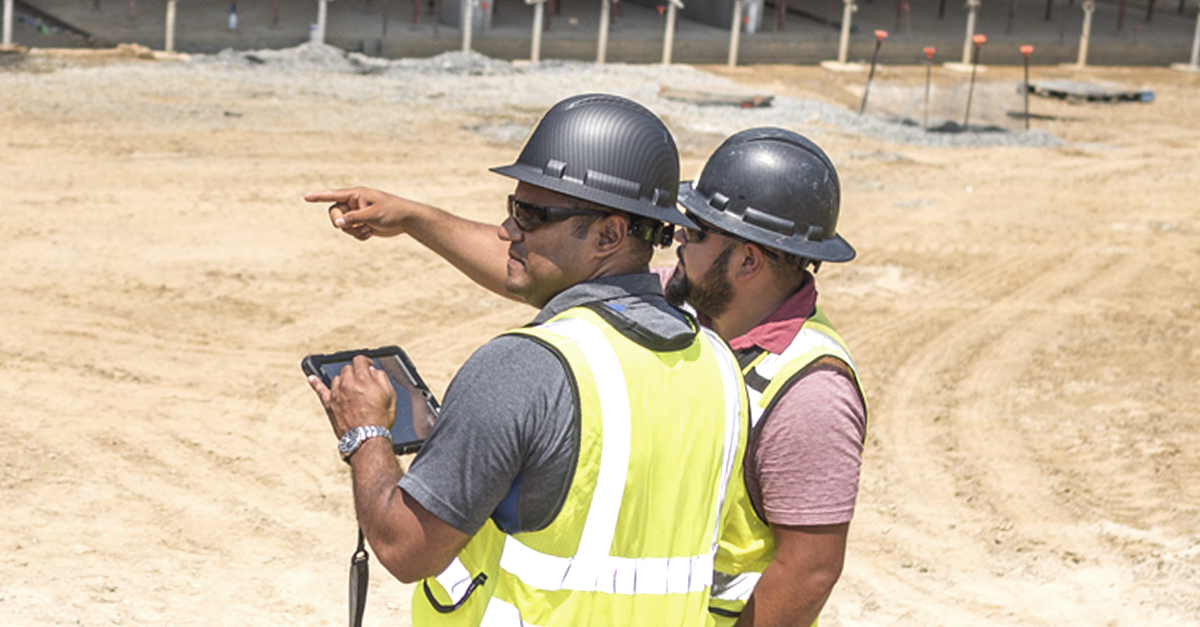
The electrician is two floors up, pulling wire from a set of drawings printed three weeks ago. The updated panel schedule came back with the engineer's markups this morning, but it's sitting in the PM's inbox down in the trailer. By the time anyone catches the mismatch, the crew has roughed in conduit that now has to come out. That's a half-day gone, and nobody did anything wrong except work from the information they had in hand. That's the construction efficiency problem in a nutshell in miniature: the right information exists, it just hasn't reached the right person.
Moments like that show how quickly construction efficiency can turn into recoverable field time. However, instead construction teams routinely spend hours looking for information, resolving conflicts, and fixing rework. More than 80% of hiring contractors report difficulty finding qualified workers in 2026, making every recoverable field hour that much more valuable. The practical lever is removing the information delays that keep people from building.
What this article covers:
- Construction efficiency is the share of crew hours that goes to actual building versus waiting, searching, and rework.
- The biggest time drains are information delays, outdated plans, and after-hours documentation, each traceable to the same root cause.
- The root cause is information failing to reach the right person at the right time, and fixing that flow addresses all three drains.
- Five field workflows recover lost capacity: current plans, real-time issue capture, punch lists, RFI turnaround, and daily reporting.
- Specific KPIs, including rework rate, labor productivity, RFI turnaround, and punch closeout speed, show whether the changes are working.
What is construction efficiency?
Construction efficiency is often measured as the share of a crew's available hours that are actually spent on building versus the total time spent on the job. Put simply, it's wrench time versus “waiting” time. A crew can show up fully staffed and still lose half its day chasing the correct plans, waiting for a decision, or tearing out work that was built using outdated information.
The numbers say most jobsites have a lot of room here. The average worker on a jobsite spends only about 30% of their time on productive work, with inefficient processes like tracking down the latest plans or getting assignments making up much of the gap.
Non-optimal activities like searching for information, and rework measure the same problem from the other side: too many field hours are absorbed before the crew can build. That gap is why two crews with the same headcount and the same scope can finish weeks apart.
Where construction crews lose the most time
On jobsites, the biggest drains usually start with information delays. Without the correct information or process for communicating information, crews can end up building from outdated plans or spending evenings rebuilding the day's documentation from handwritten notes, text messages or emails.
Field rework can take a measurable share of project cost, and avoidable errors become even more expensive when indirect impacts are included. Once rework interrupts a crew's sequence, the next task no longer starts clean. Waiting for materials and equipment is another major drain. Crews regularly sit idle because nobody knows when material is arriving or it isn’t there when it was supposed to be there.
The third drain is documentation, much of it after hours. For teams still relying on manual site data collection, daily reports can become end-of-day transcription work. That's time off the clock that the schedule never sees and the family at home definitely does.
Each of these drains has a field workflow that closes it. The sections below work through them one at a time.
Why it happens: The root causes of lost time
These recoverable-time moments trace back to the same information-flow problem: the right information doesn't reach the right person at the right time. Fix the information flow and the symptoms fade.
Communication gaps between field and office
A common source of lost time is the gap between what the office knows versus what the field knows. Inaccurate, inaccessible, and incompatible project data combined with poor communication can turn directly into rework, which makes information flow a measurable part of the schedule.
The mechanics are familiar to anyone who's run a jobsite. The latest drawing or detail is on the project manager’s desktop, when the crew shows up to the jobsite with an outdated printed job folder given to the crew by the coordinator. When teams don't have one shared place to collaborate and share project data, information is silo’d and not always with the correct parties.
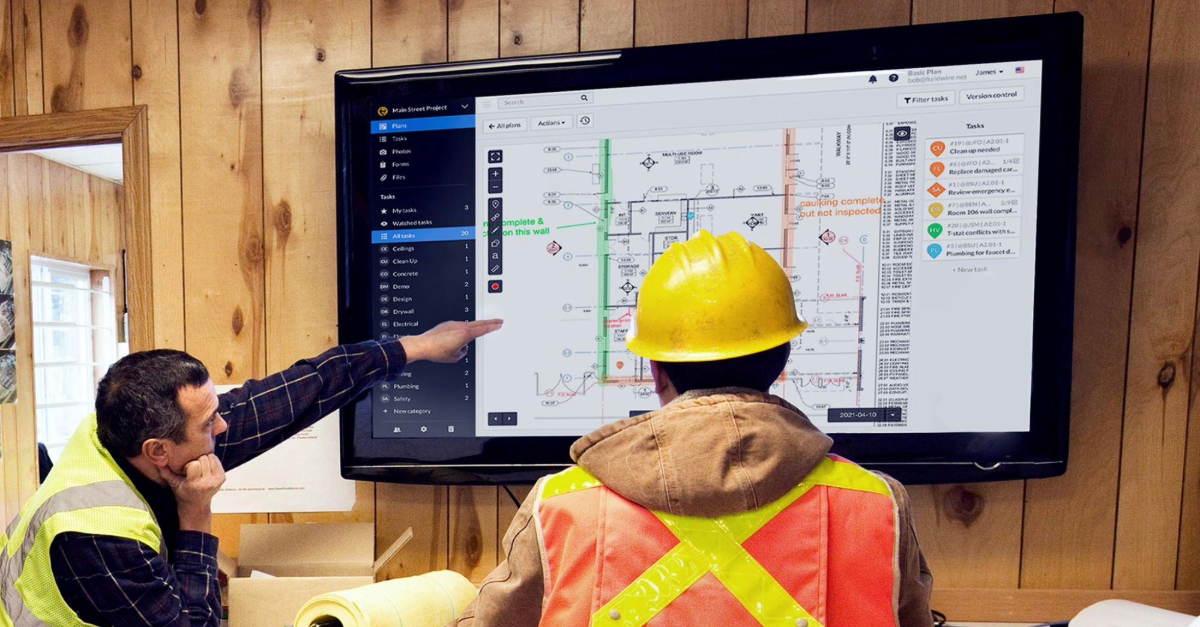
Most jobsites have the hardware. Firms hand out phones and tablets, but the software habit hasn't caught up. Teams default to email, texts, and phone calls instead of a shared source of truth. The devices are there. The shared source of truth isn't, and that's the gap Fieldwire is designed to close. With plans, tasks, and field updates living in one place that syncs between the phone in the field and the screen in the trailer, teams can now communicate asynchronously from the palm of their hand wherever they are.
Data silos and disconnected tools
Disconnected information silos force crews into manual workarounds that eat time and introduce errors. Without a standard, teams use a variety of methods from email to text, each holding a piece of the picture and none talking to the others.
To assemble all the pieces, teams resort to ad hoc spreadsheets, email chains, or lists saved in various places. Team members are then tasked with assembling these disparate tools into a comprehensive picture, wasting office time on double entry before it can be shared with the field.
The cost lands on the bottom line. Nearly 98% of all contractors in the U.S. and Canada have had projects with serious quality issues in the last three years, and coordination breakdowns among trades quietly erode profit margin.
Working from outdated information
Working from outdated information is the root cause that turns directly into rework. A crew can only build with the drawings in front of them, and when those are a revision or two behind, the field follows the wrong instructions to the letter.
Teams work from the wrong information, build exactly what the outdated package tells them to build, and then have to pull it apart, thereby building it a second time and sometimes reducing quality due to the demolition required to make it right.

How to improve efficiency in the field
You recover lost hours by tightening five field workflows: access to the current drawings, capturing issues in real time, closing out punch lists faster, speeding up RFI turnaround, and making daily documentation painless. Each one attacks a specific drain named above.
A field-first tool helps by giving crews one place for the work that otherwise gets scattered. Fieldwire is a mobile-first jobsite management platform built for the people doing the actual work in the field. Trade and specialty contractors use it to manage plans, tasks, quality control, and documentation from any device, including offline.
Fieldwire’s flexible workflow model means each team can configure their task statuses, categories and attributes based on your proven processes. A GC sets up differently than an MEP contractor standardizing installation checklists.
More than 70% of its features were shaped directly by customer feedback from trade contractors, which is why field crews pick it up even without training. Adoption matters because field workflows only recover time when foremen actually use them.
Working from the current set of plans
The fastest efficiency win is making sure every crew is building from the same current set. When plans, markups, and related documents live in one place, there is less chance that someone is two revisions behind on a tablet.
This directly addresses the outdated-plan rework named earlier. Donhauser, a specialty contractor in Germany, saves 3 to 4 hours per week simply by keeping crews on up-to-date drawings. Fieldwire handles plan upload with automatic version control.
Sheet Compare (Pro and above) overlays two revisions so a foreman sees exactly what changed before a crew starts work, which elements were added, removed, or shifted, rather than hunting for clouded markups on a printed sheet.
Plans sync automatically from Box, Dropbox, and OneDrive (two-way) and from SharePoint and Google Drive (one-way into Fieldwire), so teams have a controlled path to keep plan sets current without anyone forwarding a PDF. It works offline too, which matters when the crew is in a basement or a remote pour with no signal.
Capturing field issues and markups in real time
Capturing issues at the point of work, on the plan, instead of on a personal notepad, centralizes the information for quicker resolution and improved coordination. The mechanical foreman marks a conflict on the drawing, and the electrical foreman sees it before his crew starts in the same chase.
Field data gets logged once, where the work is happening, instead of being recreated hours later from memory. With Fieldwire, task management lives on the plan. A task can be pinned to a specific location on the drawing. Color-coding by status allows a superintendent to scan every open issue on a floor without opening individual items. The moment a task is updated the right person is notified with a push notification without needing to call them.
Photos are dated and timestamped with GPS coordinates included on Pro plans and above, so you know the location and time a photo was taken rather than relying on memory at the end of day. An issue captured in the field is instantly visible to the office, and the details stay tied to the plan instead of buried in a text thread.
Punch list and closeout
A real-time punch list closes projects faster than the end-of-day-transcription approach that still rules most jobsites. A punch list with 50 items is manageable on paper. A punch list with 500 items across 12 trades and four floors isn't.
Paper punch lists have to be transcribed digitally for distribution. With an app-driven punch-list workflow, supervisors create and distribute punch items in real time from their mobile device, without having to go back to the trailer. Fieldwire's punch list lets crews run walkthroughs from their phones, mark deficiencies right on the drawings, and use a two-step verification workflow (Business Plan) to confirm items are resolved before closeout. One subcontractor case reports a 25% reduction in closure time and an 18% reduction in rework after digitizing the process.
Faster RFI turnaround
Cutting RFI turnaround time directly impacts the schedule, because open RFIs stall work. A consistent, documented workflow gives every RFI a clear owner, a status, and a full audit trail instead of leaving answers in scattered email chains. Fieldwire's RFI tools (Business Plus) let teams create, submit, and track RFIs with status filtering by company, assignee, or last updated, so nothing sits forgotten and the field always knows what's still open before crews build into an unanswered question.
Daily reporting and documentation
For teams that already lose evenings to transcription, faster daily reporting targets that after-hours trailer time. Instead of rebuilding the day from memory, a mobile-ready workflow captures reports as the day happens.
That recovered time is real money and real evenings back. DC Electric reports saving 2 to 3 hours per person each day using Fieldwire's custom forms (Business and above). Beyond the time, consistent daily logs give the office a clearer project record. Fieldwire's custom forms cover daily reports and timesheets, and teams can use them for inspection requests filled out from the field and instantly available to the office.
How to measure construction efficiency
The gains from tighter field workflows show up in a handful of KPIs operations leaders already track. Establish a baseline before rollout, then measure the same metric after. Track KPIs that reflect field reality alongside cost and schedule.
Start with these:
- Rework rate (Total Field Rework Factor): Direct cost of field rework divided by total construction-phase cost.
- Labor productivity rate: Quantity installed divided by crew-hours, the cleanest read on whether crews are building or waiting.
- RFI turnaround time: Median days to close an RFI against your project baseline.
- Punch list closeout speed: Time to resolve punch items and total item count at closeout, both of which should drop as real-time capture replaces end-of-day transcription.
- Quality and defect metrics: Track defects found, time to correct them, and inspection outcomes.
The industry hasn't settled on common standards beyond cost and schedule. Pick the few KPIs that map to your biggest drains, track them consistently across projects, and you'll see whether the workflow changes are landing. Fieldwire generates field data for several of these directly: leveraging the manpower field or a custom attribute (Business Plan and above) to track impact and cause of rework, timestamped punch items and the analytics tab provide for closeout speed metrics, and performance of trade partners
Recovering crew capacity starts with information flow
Crews recover capacity when outdated plans, scattered communication, manual paperwork, and rework take up less of the day. Every one of those drains traces back to the same root: the right information not reaching the right person at the right time. In a year when hiring is tight, recovering those hours is critical.
Fieldwire keeps every crew on the current set with automatic version control and Sheet Compare, pins every issue to its exact location on the plan so nothing gets lost in a text thread, and closes out punch items in the field with a timestamped two-step record. That's how you keep projects on schedule without last-minute coordination scrambles, and it's why crews report getting hours back each day. You can try our free version of Fieldwire today and see how much efficiency you can drive with your teams.
Frequently asked questions about construction efficiency
The most consistent root cause is information not reaching the right person at the right time. That single failure produces the most common drains: crews building from outdated plans, foremen waiting on answers to open questions, and supervisors spending evenings transcribing work that happened hours ago. Fix the information flow and most of the downstream waste follows.
Research consistently shows that field crews spend less than a third of their available hours on actual building. The rest goes to waiting for materials or decisions, searching for current information, resolving conflicts, and fixing rework. The specific share varies by trade and project type, but the gap between available hours and productive hours is wide enough on most jobsites that even small improvements to information flow produce meaningful schedule gains.
Rework is any work that has to be torn out, redone, or corrected because it was built off wrong or outdated information. It is one of the most expensive controllable costs on a project, because it carries both the direct cost of the correction and the indirect cost of schedule disruption to the crew and every trade that follows. The most direct way to reduce it is keeping every crew on the current set of drawings. Fieldwire's automatic version control and Sheet Compare (Pro and above) give foremen a clear view of what changed between revisions before work starts, which removes the most common source of avoidable rework.
Paper punch lists are filled out at day's end, relying on memory and notes that made it back to the trailer. Digital punch lists capture deficiencies in real time, with photos and drawing markups added on-site during the walkthrough. Fieldwire's two-step verification (Business and above) timestamps each item at field completion and again at office sign-off, creating a clean, traceable closeout record — faster to close and easier to audit than paper.
Direct rework cost divided by total construction cost captures the costliest outcome of an information failure. Pair it with labor productivity (units installed per crew-hour) and RFI turnaround time to see whether crews are building or waiting. Punch list closeout speed and defect count at substantial completion round out the picture. Measure each metric before and after any workflow change; the gap between the two is your evidence the change worked.


